YouTube's Shorts limit,
set to zero.
The YouTube app now lets you set a Shorts limit of zero. It helps. Here is exactly what it does, and the gaps it leaves.
How to set it
The setting lives in the YouTube app on iPhone, iPad and Android. You need to be signed in.
- Open the YouTube app, tap You, then the Settings gear.
- Tap Time management.
- Tap Shorts feed limit and choose a time. The lowest option is 0 minutes.
That path comes from YouTube's own help article. The limit arrived in late 2025 starting at 15 minutes; the zero option followed in 2026.
What it does
When you reach the limit, the Shorts feed stops and YouTube shows a reminder instead of the next Short. At zero, that happens before the first one. Reporters testing the zero setting also saw Shorts leave the app's Home page.
What it leaves behind
- A dismiss button. On a regular account the reminder can be dismissed, so the limit is a nudge rather than a lock. YouTube's help page says as much.
- Shorts outside the feed. Reporters still found Shorts in search results, on channel pages and in Subscriptions. Only the swipe-through feed is limited.
- Everything outside the app. The setting is app-only. YouTube in a web browser, on a computer or on a TV has no Shorts limit.
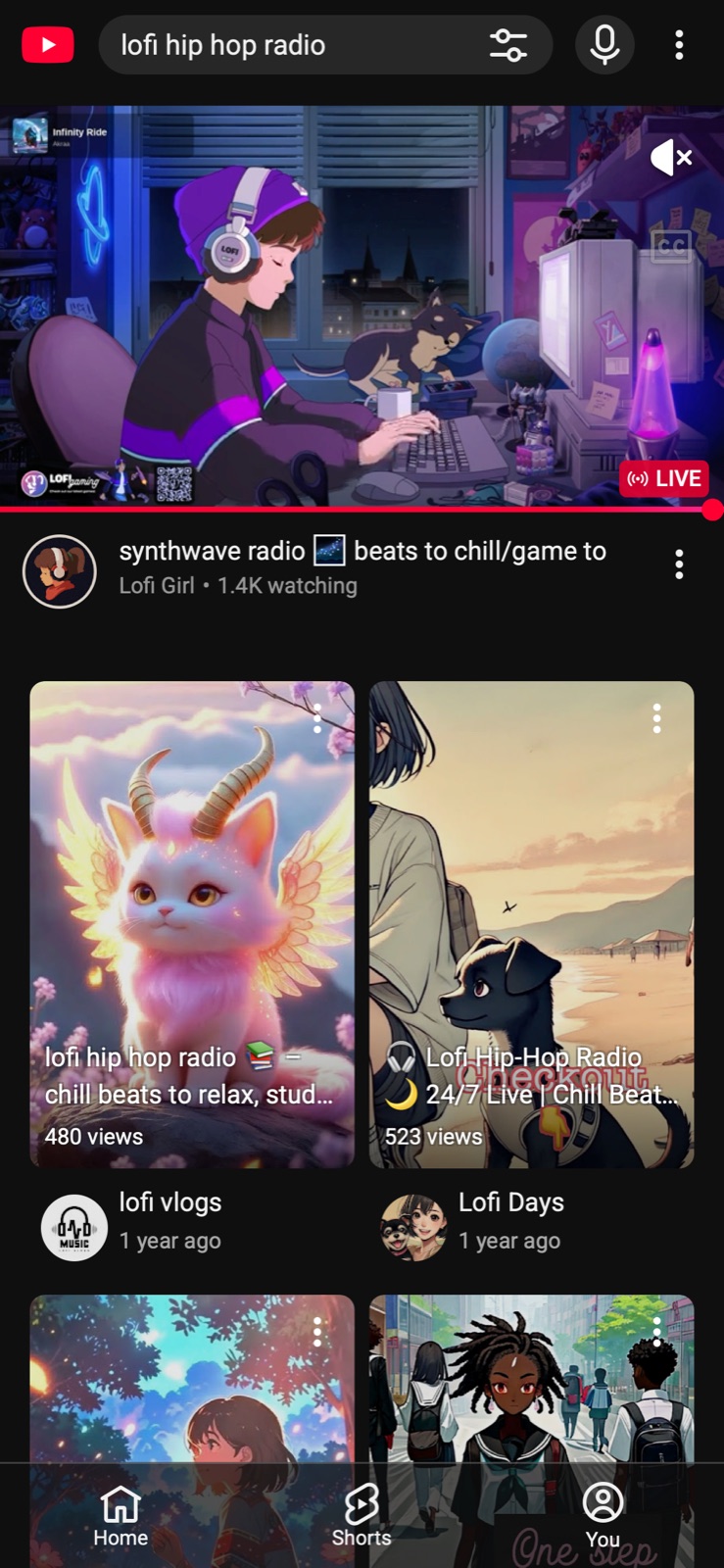
YouTube search in Safari: a Shorts shelf before the first video.Before
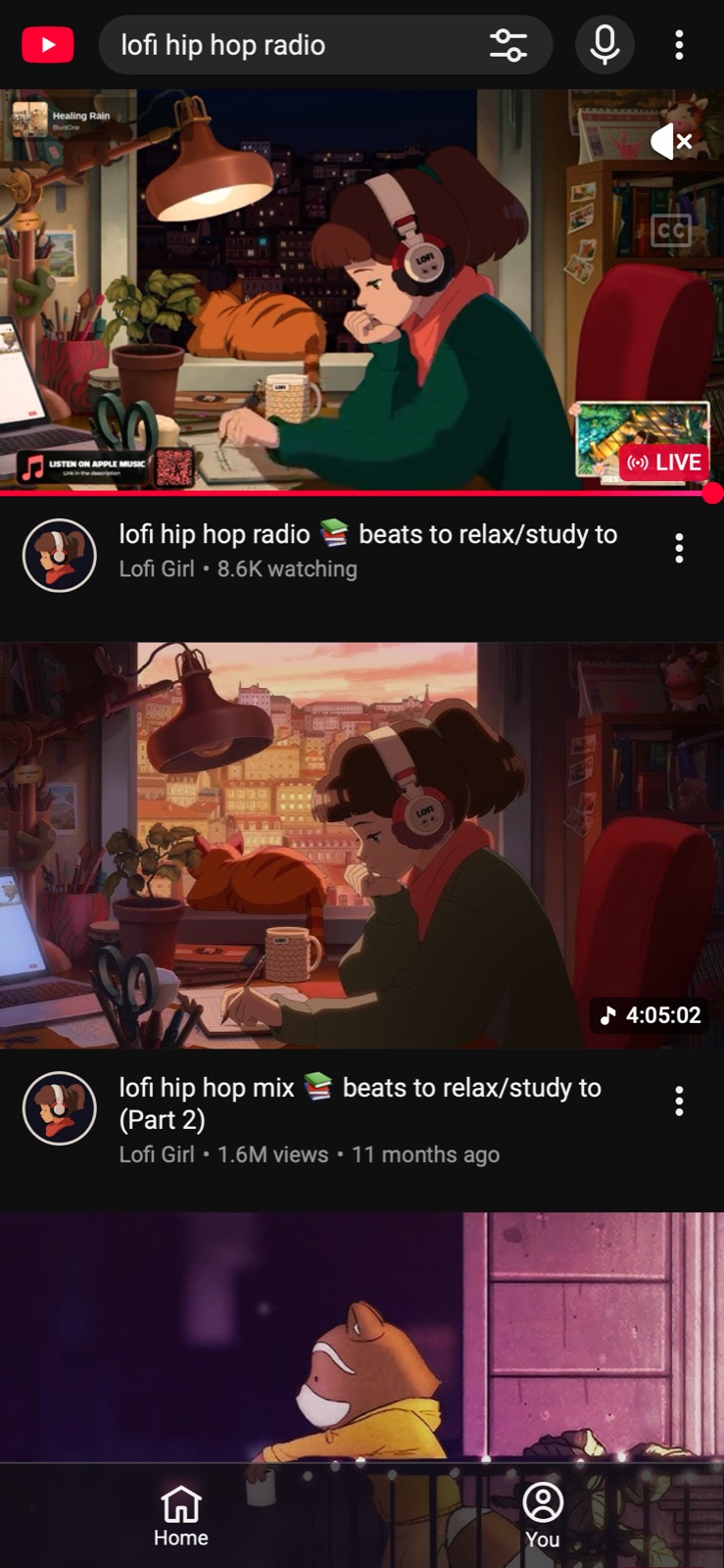
The same search with Eclipsis in Safari: just the videos.After
A teen's supervised account works differently: a parent sets the limit from Family Center, and the teen cannot dismiss it. See blocking Shorts on a child's iPhone.
Closing the gaps on iPhone
iOS does not let one app change another, so nothing outside YouTube can edit the YouTube app. What Eclipsis can change is YouTube in Safari: its Safari extension removes the Shorts shelf and the Shorts tab, free and without an account. Add the app lock, which hides the YouTube app until a daily window you choose, and Safari becomes the way into YouTube.
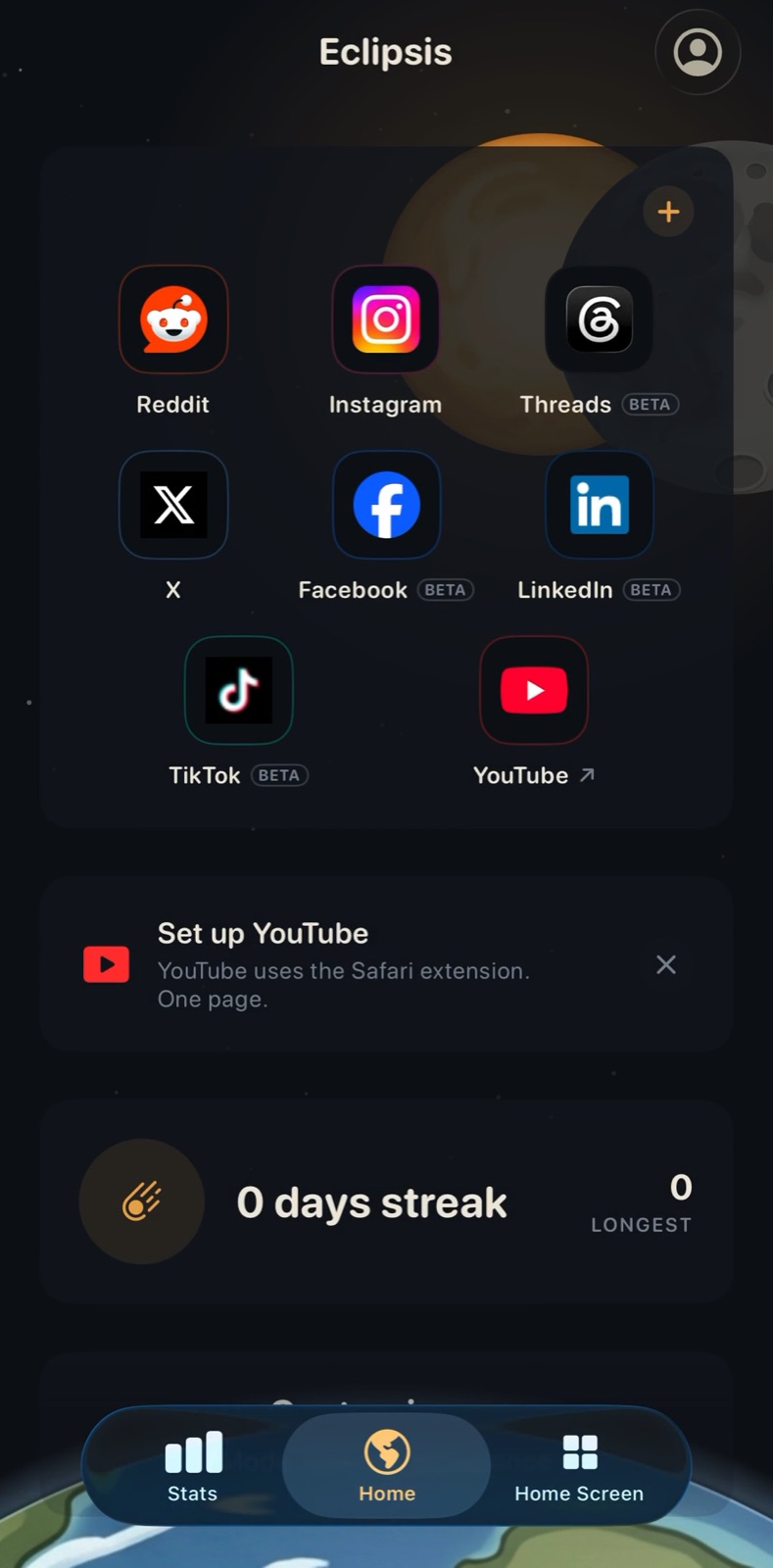
Install Eclipsis, then tap Set up YouTube on Home.
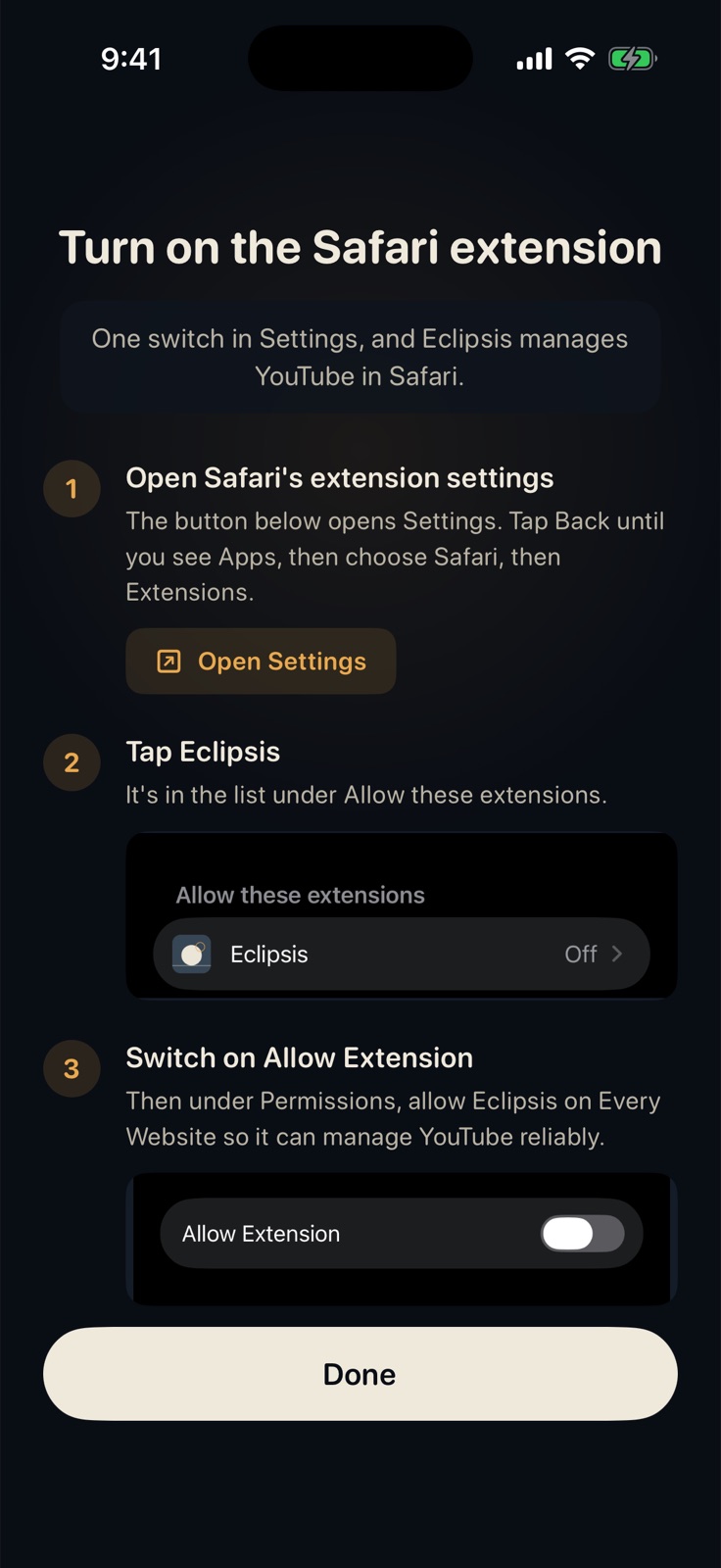
Turn on the Safari extension: Settings, Apps, Safari, Extensions, Eclipsis.
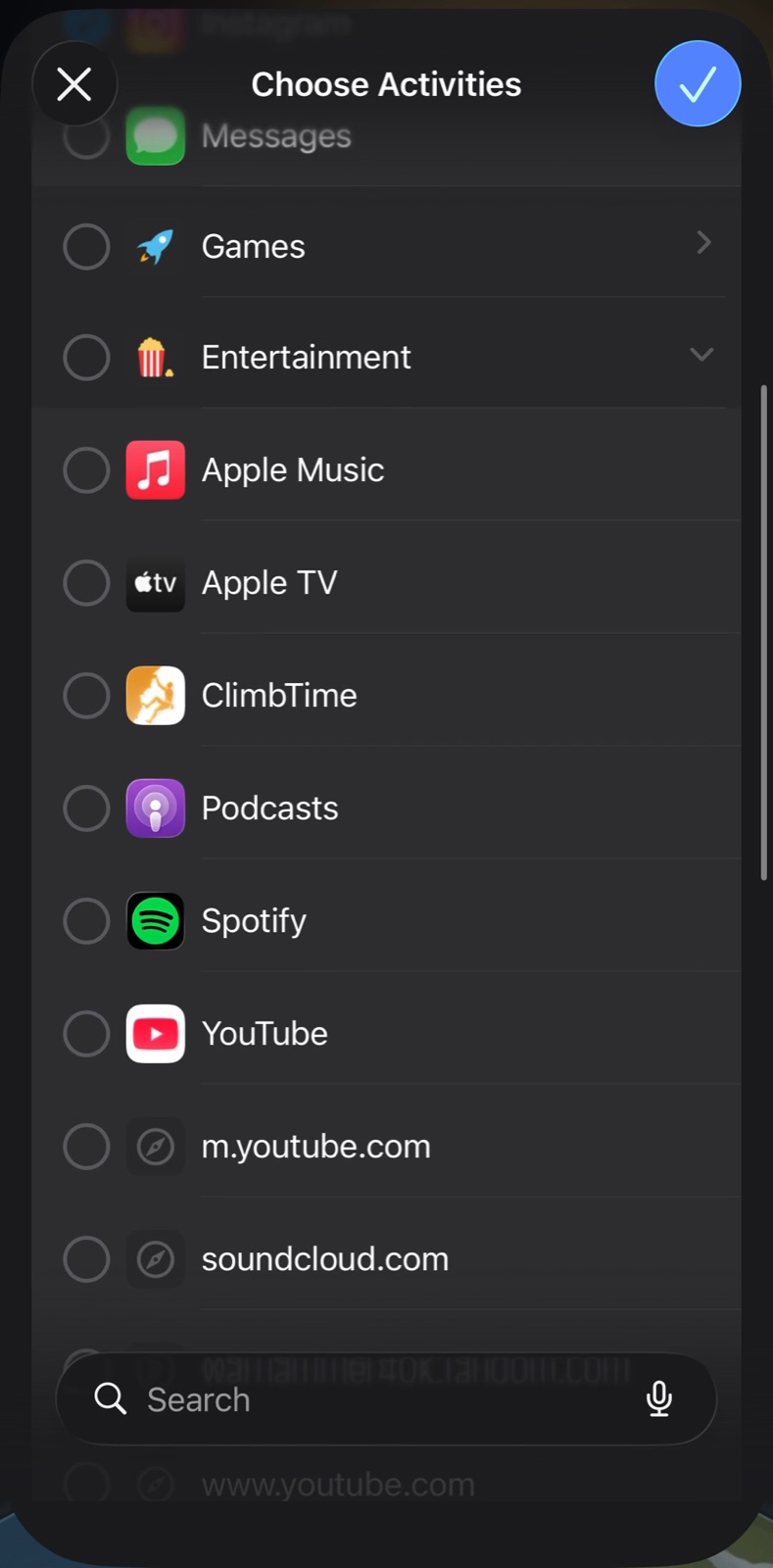
Optional: lock the YouTube app so Safari is the way in.
On a computer, the free Chrome and Firefox extension does the same job on youtube.com. See YouTube without Shorts on desktop.
Get Eclipsis. Free on the App Store. The slowdown and Parent Mode are Eclipsis Pro.
Get the iPhone appQuestions
- Does the Shorts feed limit work on a computer?
- No. It is a setting in the YouTube app on phones and tablets. youtube.com in a browser has no Shorts limit; a browser extension is the way to remove Shorts there.
- Why do I still see Shorts after setting it to zero?
- The limit covers the Shorts feed. Shorts can still appear in search results, on channel pages and in Subscriptions, and on a regular account the reminder can be dismissed.
- Can my teenager get around it?
- Not by dismissing it, if you set it from Family Center on their supervised account. Either of you can end supervision, though, so it works best with Screen Time behind it.
- Is the Eclipsis part free?
- Yes. Removing Shorts in Safari and the app lock are free. Eclipsis Pro, $3.99 a month or $29.99 a year, adds the slowdown that makes feeds run out, the AI feed filter and Parent Mode.