No Shorts on their iPhone,
YouTube still works.
Three layers, from YouTube's own controls to Screen Time to Safari. Use one, or stack them so each covers the others' gaps.
Plenty of parents want YouTube for tutorials and homework help, minus the endless swipe. No single switch does that on an iPhone, but three layers together get close.
Layer 1: YouTube's own Shorts limit
If your child has a supervised Google account, open the YouTube app on your own phone and tap You, Settings, Family Center. Choose their account, then Time management, and set the daily Shorts feed limit. Zero is an option. Unlike the adult version, a supervised teen cannot dismiss it, and it resets each morning. The details are in YouTube's help article.
The catch: on a teen account, either the parent or the teen can turn supervision off at any time, and the limit only covers the Shorts feed inside the YouTube app.
For younger children, YouTube Kids is a separate app with its own catalog and parental settings, and is worth a look before any of this.
Layer 2: hide the YouTube app with Screen Time
If the app goes, its Shorts feed goes with it. Eclipsis's app lock uses Apple's Screen Time to hide chosen apps from the Home Screen, the App Library and search. In Apple's picker YouTube sits under Entertainment. Pick the app row rather than a whole category, and leave the website rows unchecked so youtube.com in Safari keeps working.
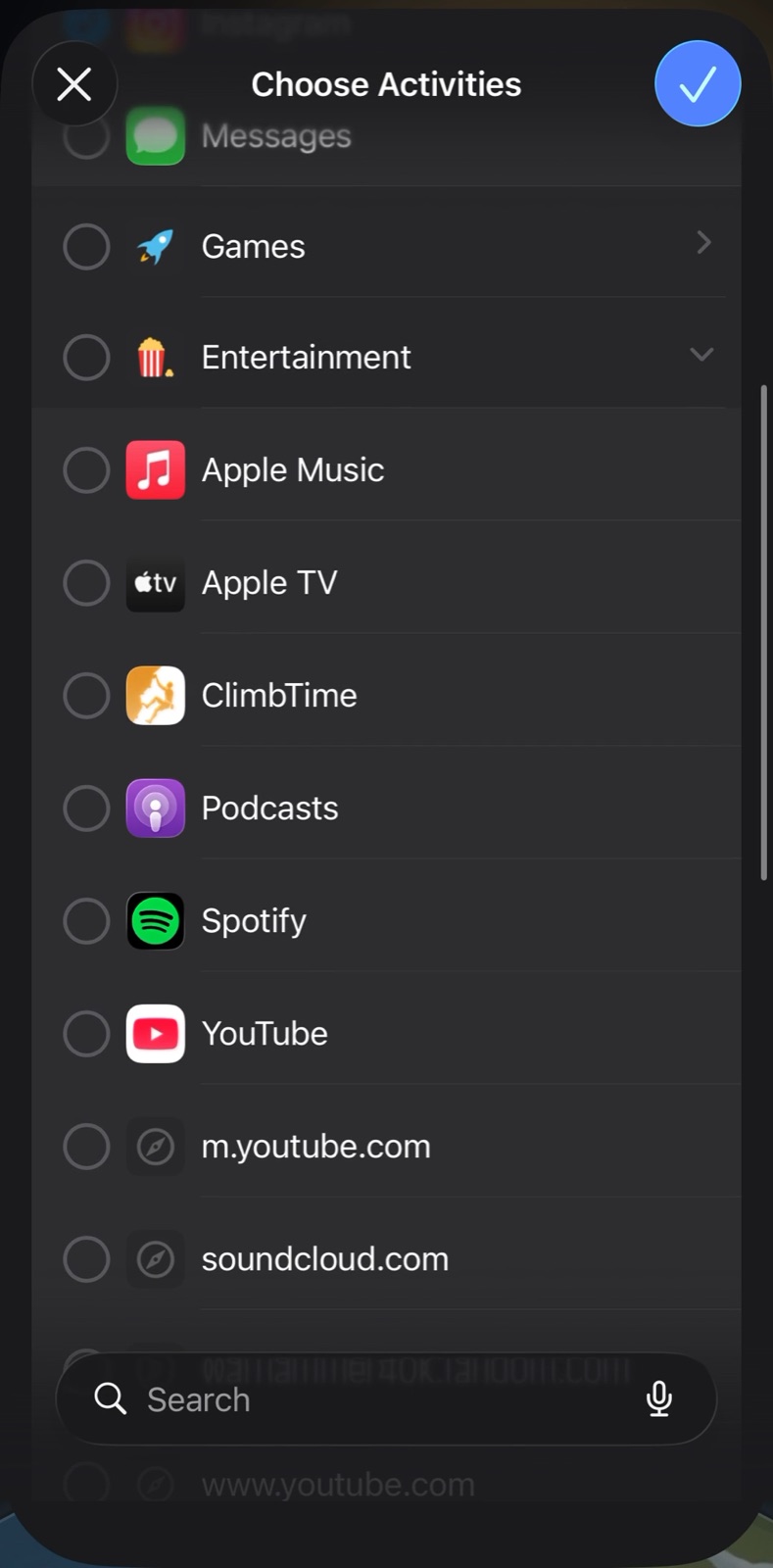
YouTube is under Entertainment in Apple's picker. Tick the app, not the category.
Layer 3: YouTube in Safari, with Parent Mode
With the app hidden, Safari is the way to YouTube, and there the Eclipsis Safari extension removes the Shorts shelf and the Shorts tab. Parent Mode, part of Eclipsis Pro, puts every setting behind a passphrase only you know, adds a pace dial for every feed, and can switch a platform off entirely, in Eclipsis and in Safari.
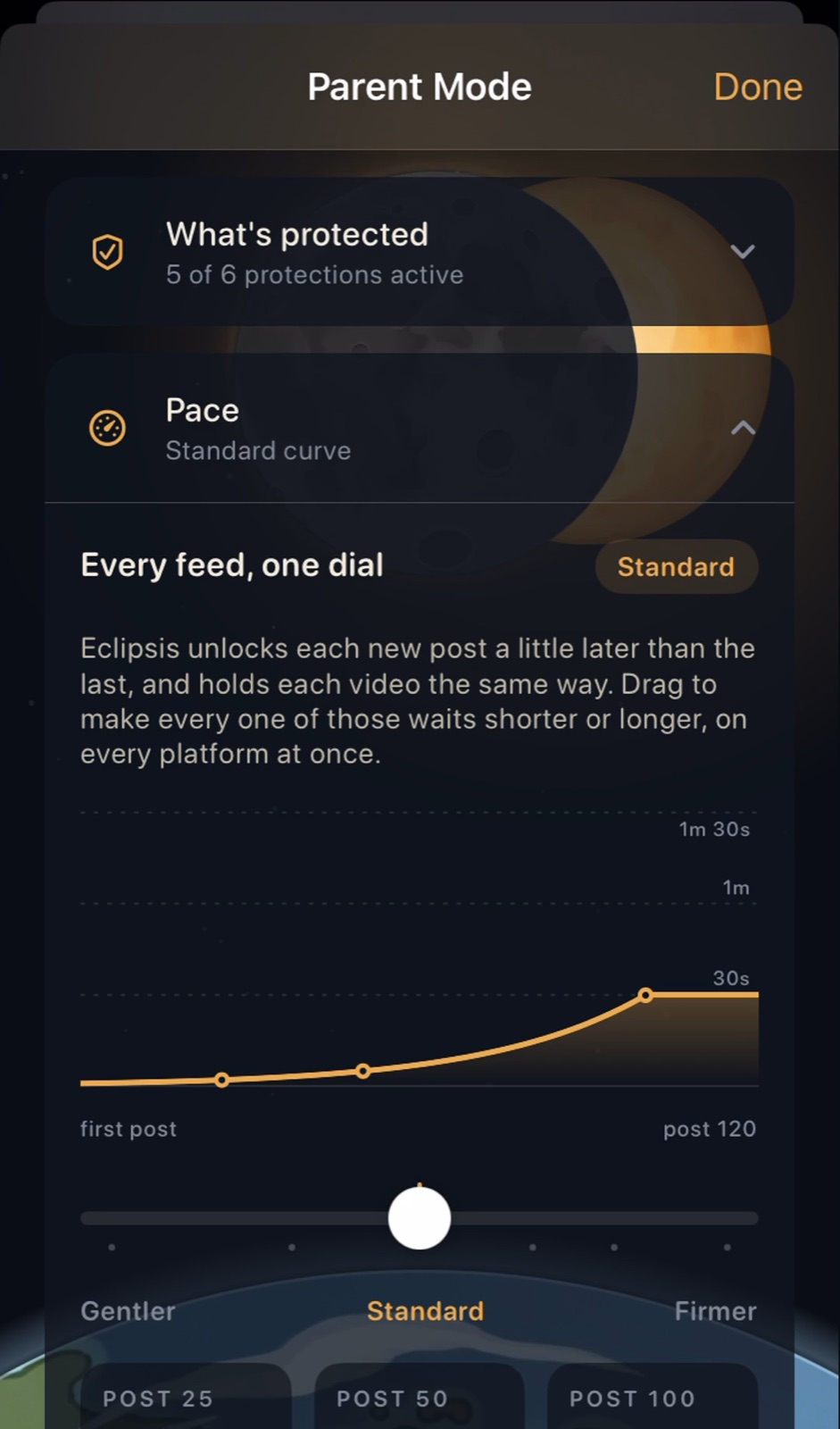
Pace: gentler or firmer waits on every feed at once.
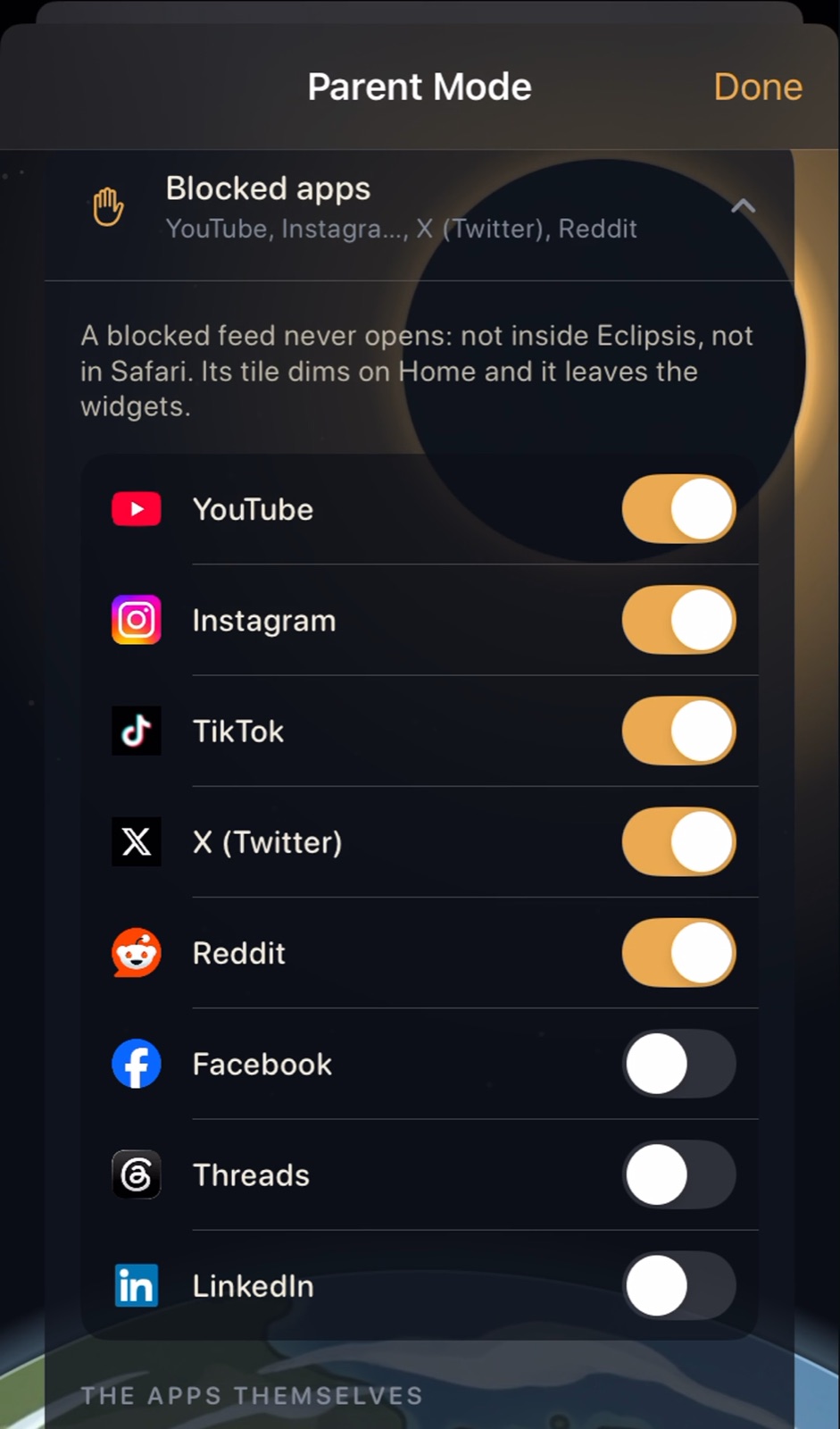
Blocked apps: switch a platform off entirely.
If the Eclipsis switch in Safari's settings is greyed out on their phone, Screen Time's web filter is on. This guide has the one-minute fix.
Set it up on their phone
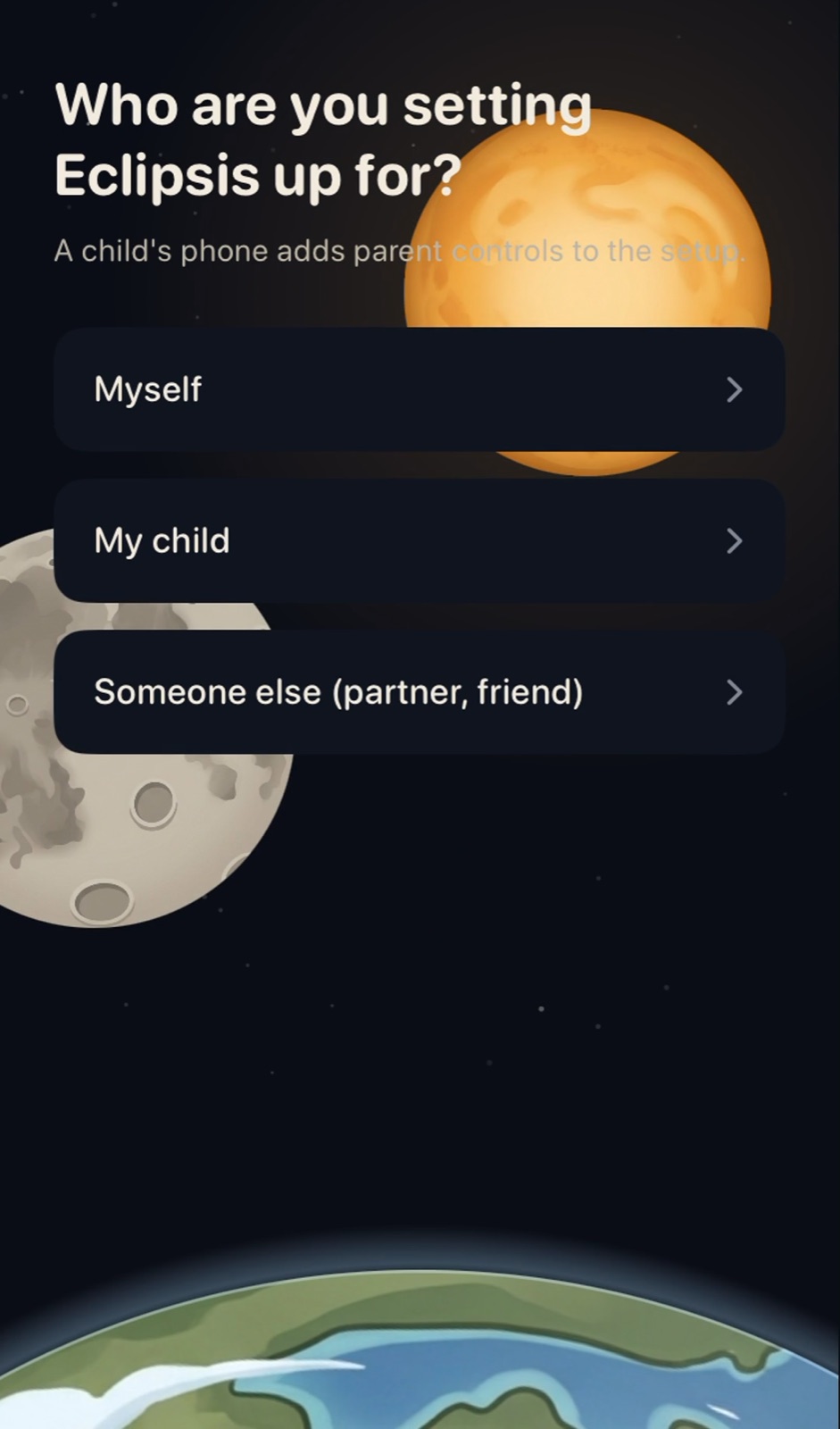
On the child's iPhone, open Eclipsis and choose My child.
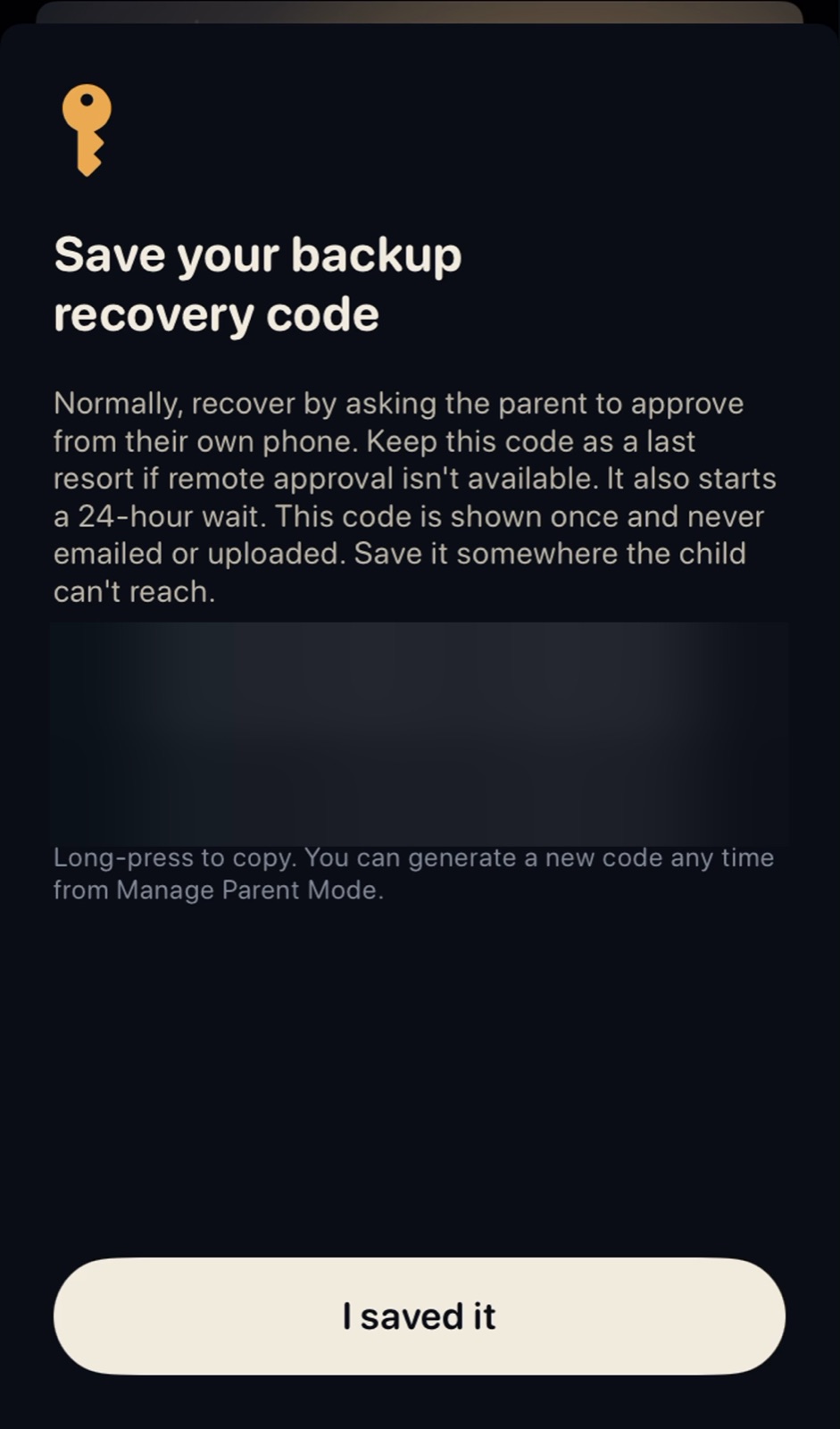
Set a passphrase only you know, then save the backup code somewhere they cannot reach.
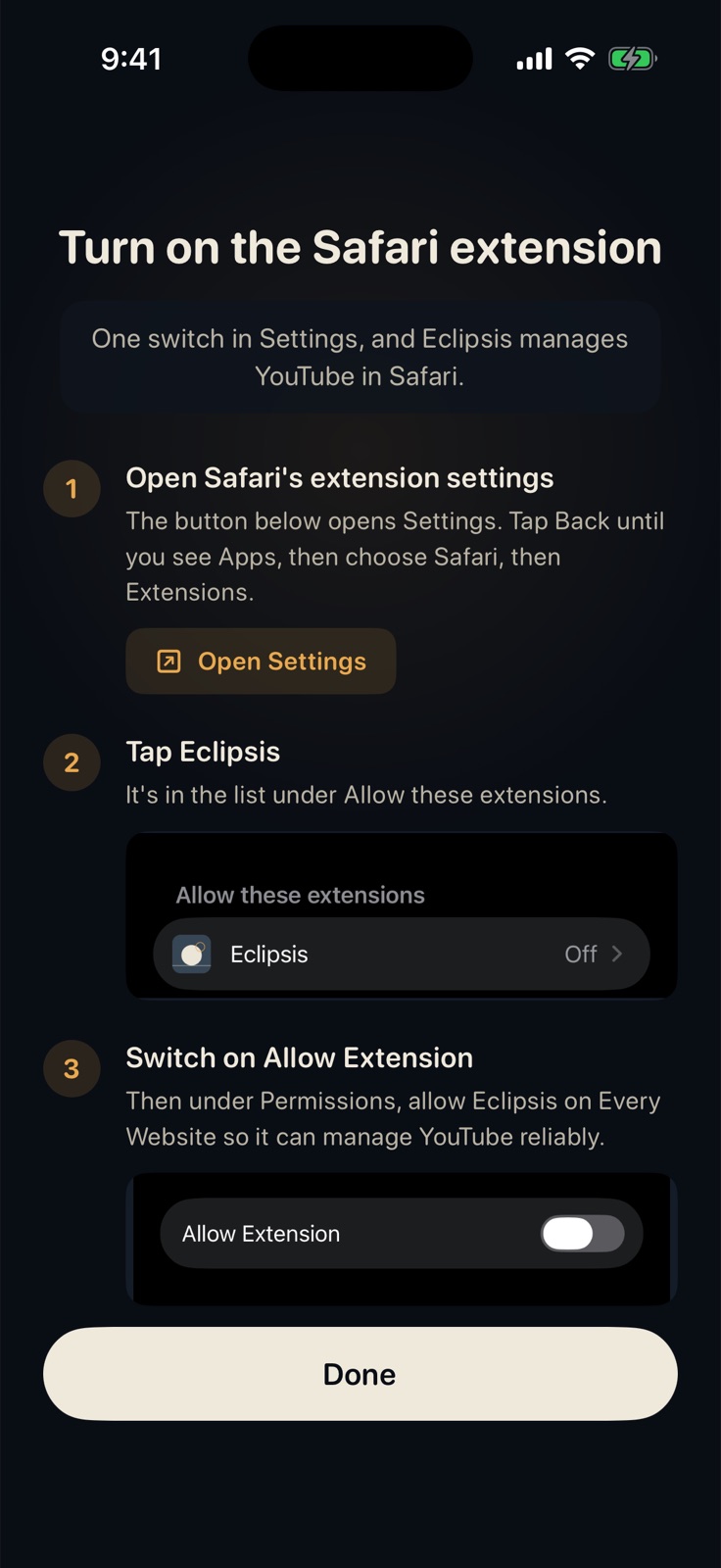
Turn on the Safari extension: Settings, Apps, Safari, Extensions, Eclipsis.
Then finish with the Screen Time steps in the app's lockdown guide. Set Up Eclipsis for Your Child shows every screen.
Get Eclipsis. Free on the App Store. The slowdown and Parent Mode are Eclipsis Pro.
Get the iPhone appQuestions
- Will my child still be able to watch YouTube?
- Yes, in Safari. Search, channels and videos keep working; the Shorts shelf and tab are removed, and the pace dial slows the rest of the feed.
- YouTube is missing from their App Store.
- Apps rated above the child's age limit are hidden, and YouTube is one. Turn on Ask to Buy in Family settings, have them request YouTube, and approve it from the message on your phone.
- Can I see what they watch?
- No, by design. Nothing about what they watch leaves the phone.
- Does this need Eclipsis Pro?
- Removing Shorts in Safari and hiding the app are free. Parent Mode, which locks those settings behind your passphrase, is part of Eclipsis Pro: $3.99 a month or $29.99 a year.