Quieter feeds · Chrome and Firefox · updated 2026-10-02
YouTube without Shorts
on your computer.
One free extension, no account. The home page and the watch page, before and after.
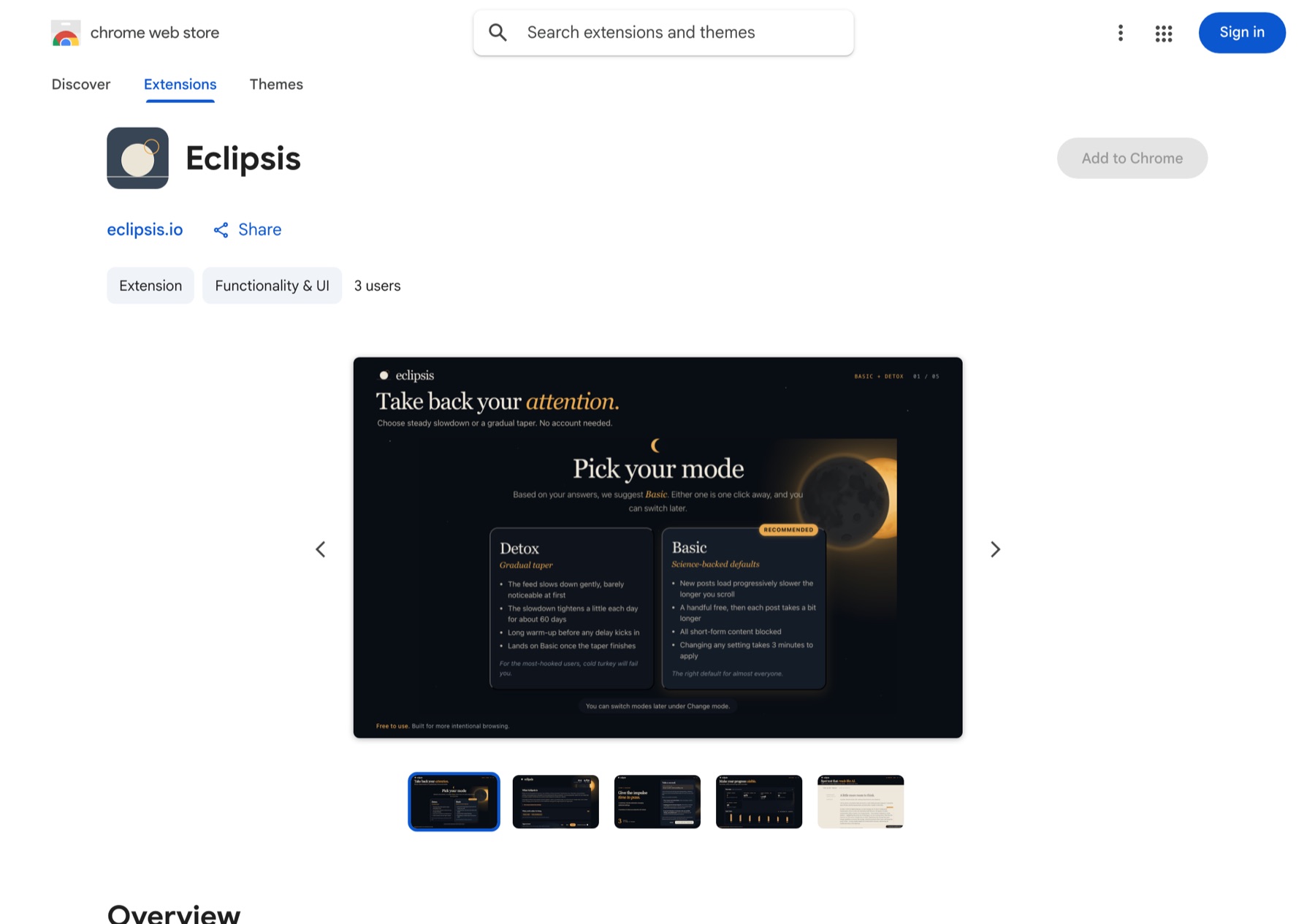
01
Chrome: open the listing and click Add to Chrome.
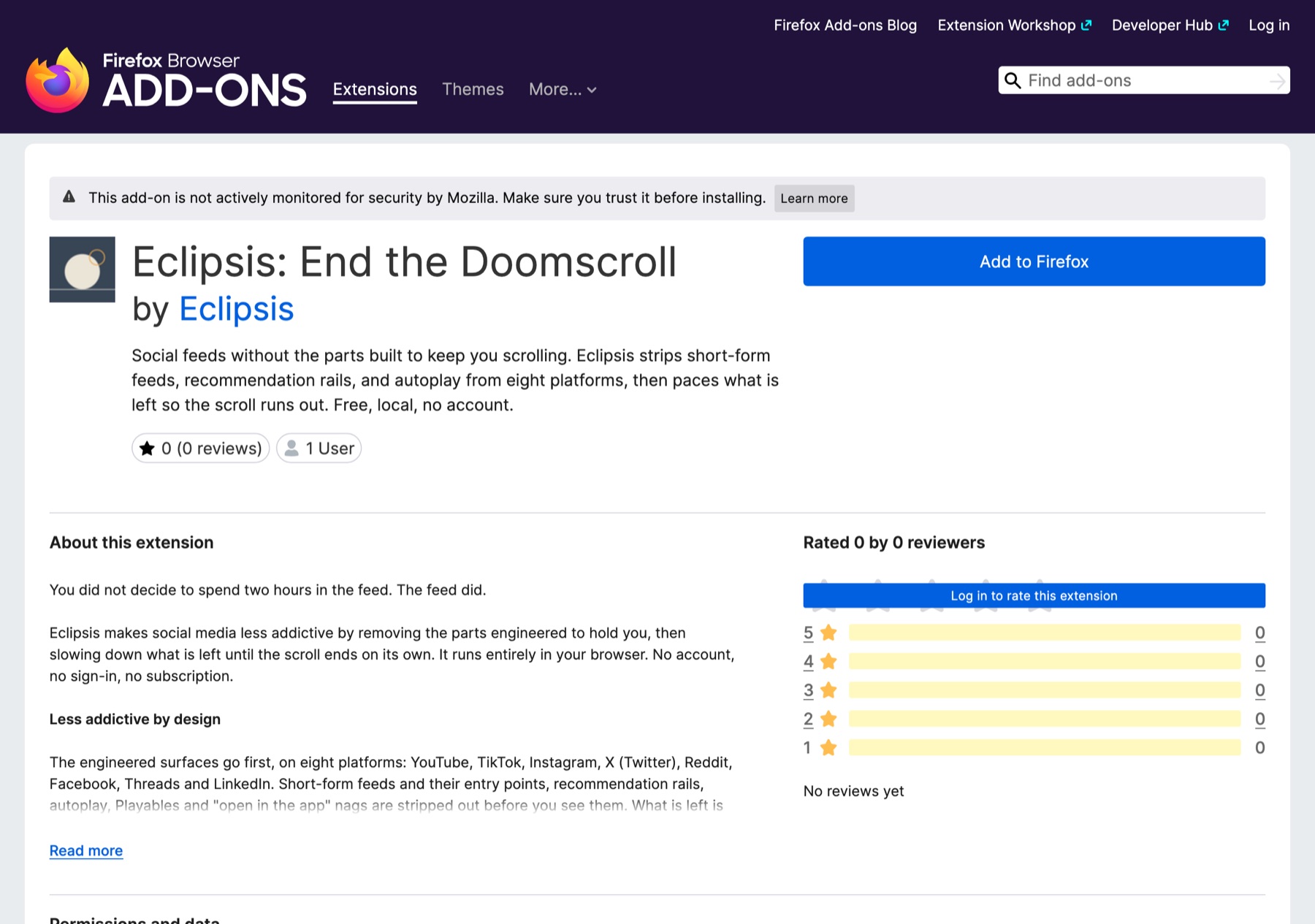
02
Firefox: open the listing and click Add to Firefox.
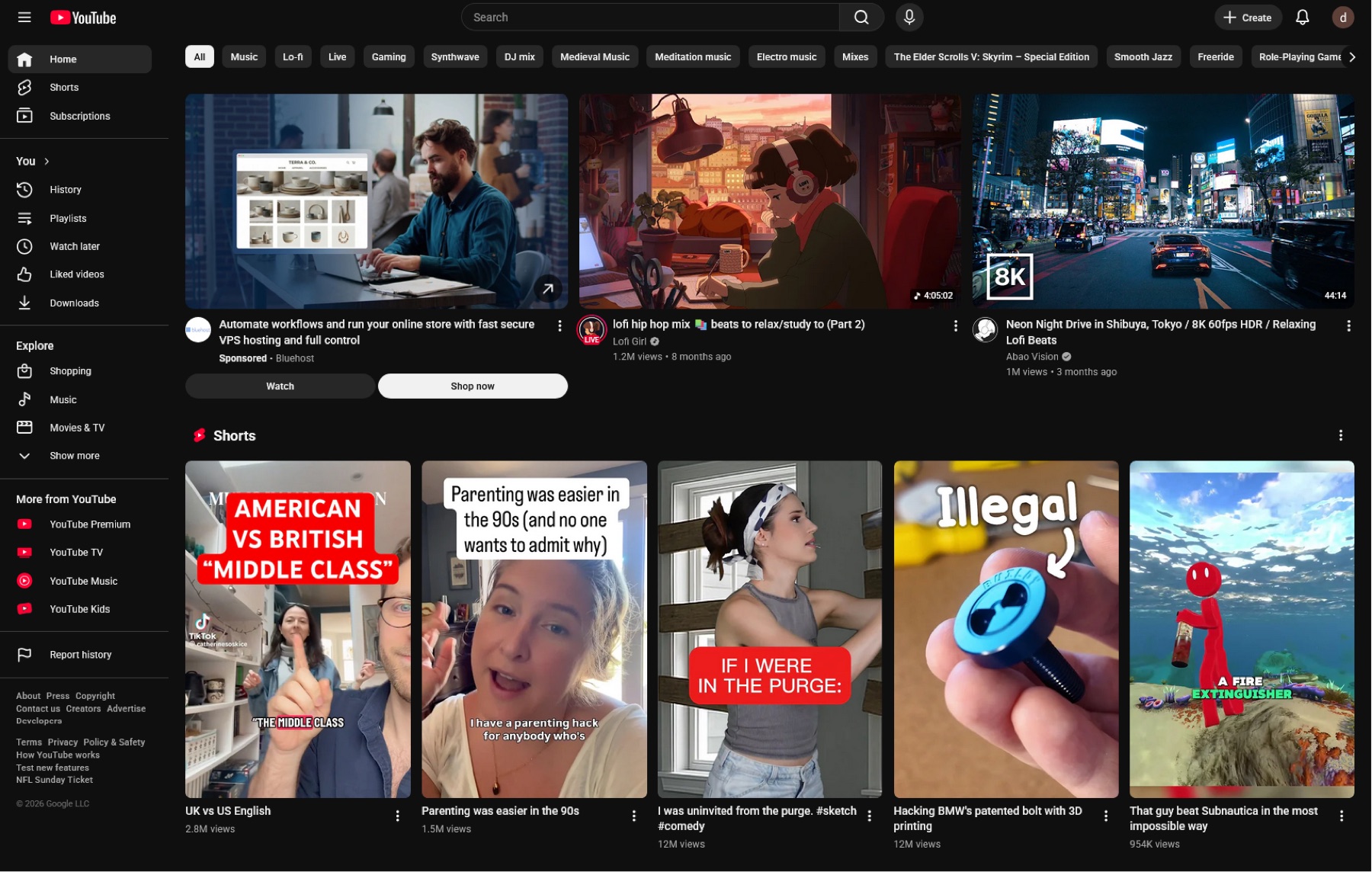
03
Home before: a Shorts shelf and an endless grid.
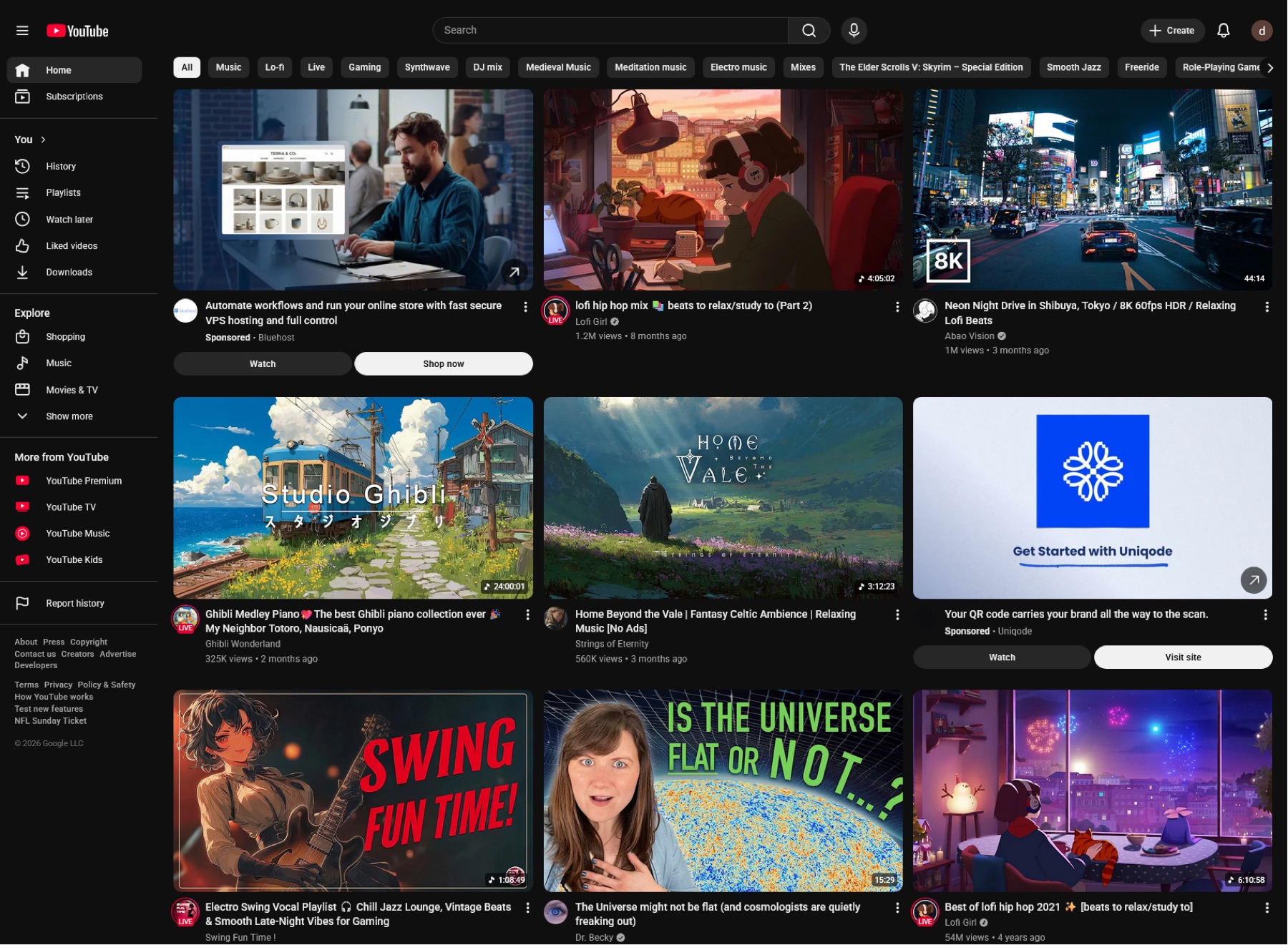
04
Home after: the shelf is gone and the feed is quiet.
05
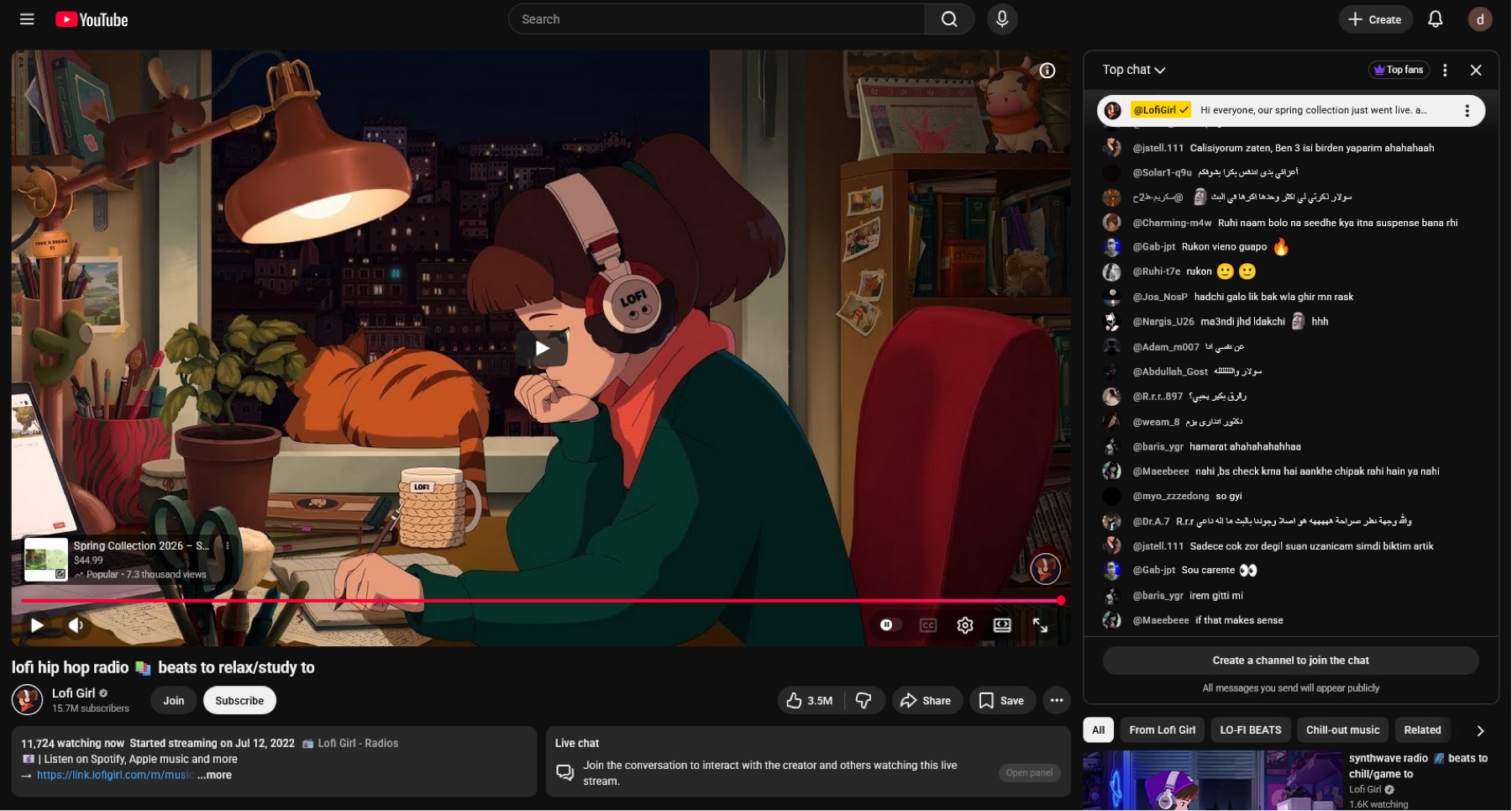
Watch page before: a rail of recommendations beside the video.
06
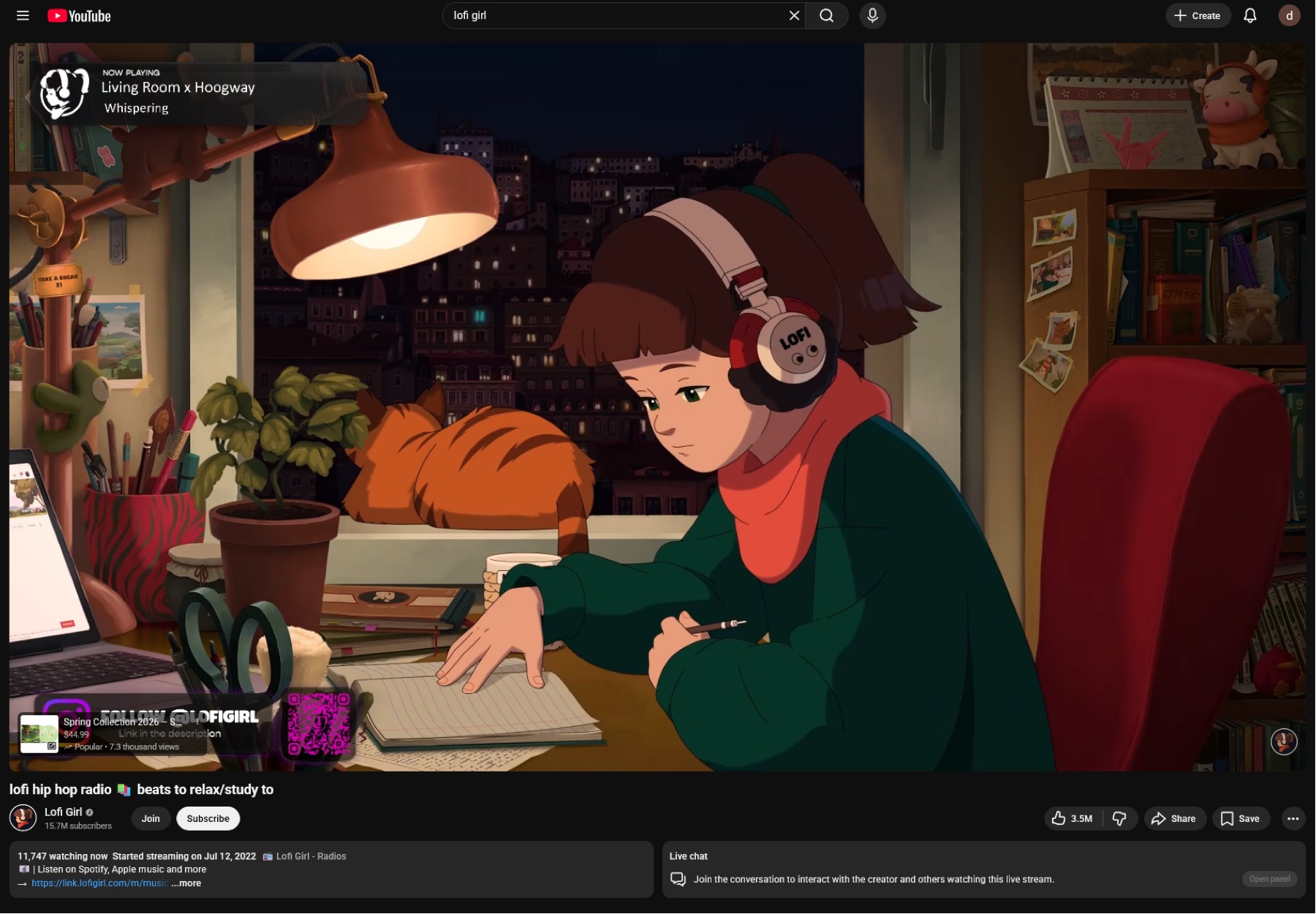
Watch page after: just the video you came for.
Questions
- Which browsers?
- Chrome and other Chromium browsers from the Chrome Web Store, and Firefox from Firefox Add-ons. Safari on iPhone uses the Eclipsis app.
- Does it collect anything?
- No. Settings and counters stay in your browser. There are no analytics, no accounts and no ads.
- Can I keep Shorts but lose the recommendations?
- Yes. Each cleanup is a switch in the extension's settings, per site.