Quieter feeds · iPhone · updated 2026-10-02
Block YouTube Shorts
on iPhone.
YouTube in Safari, minus the Shorts shelf and the Shorts tab. Free, and it needs no account.
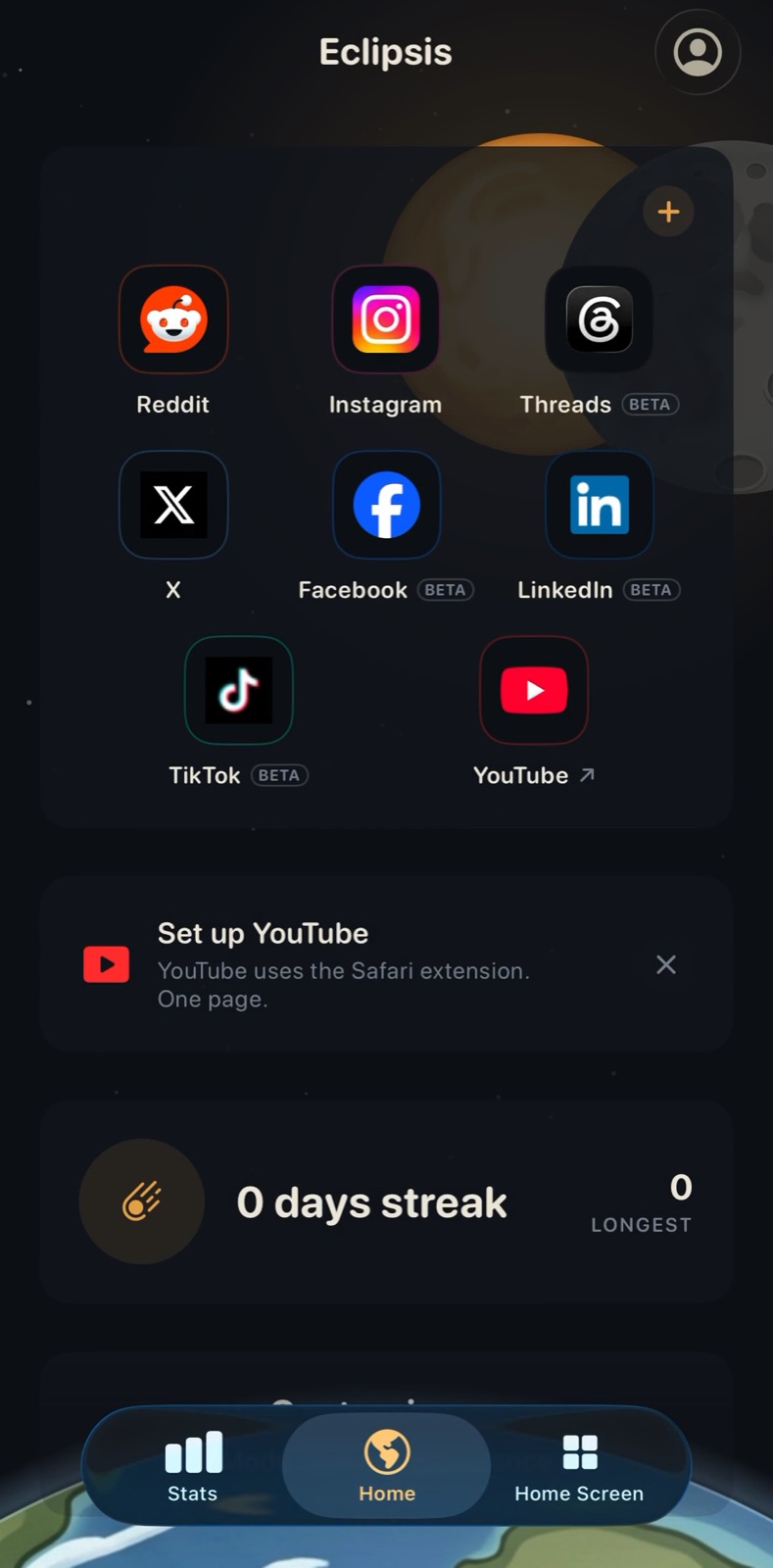
01
Install Eclipsis, then tap Set up YouTube on Home.
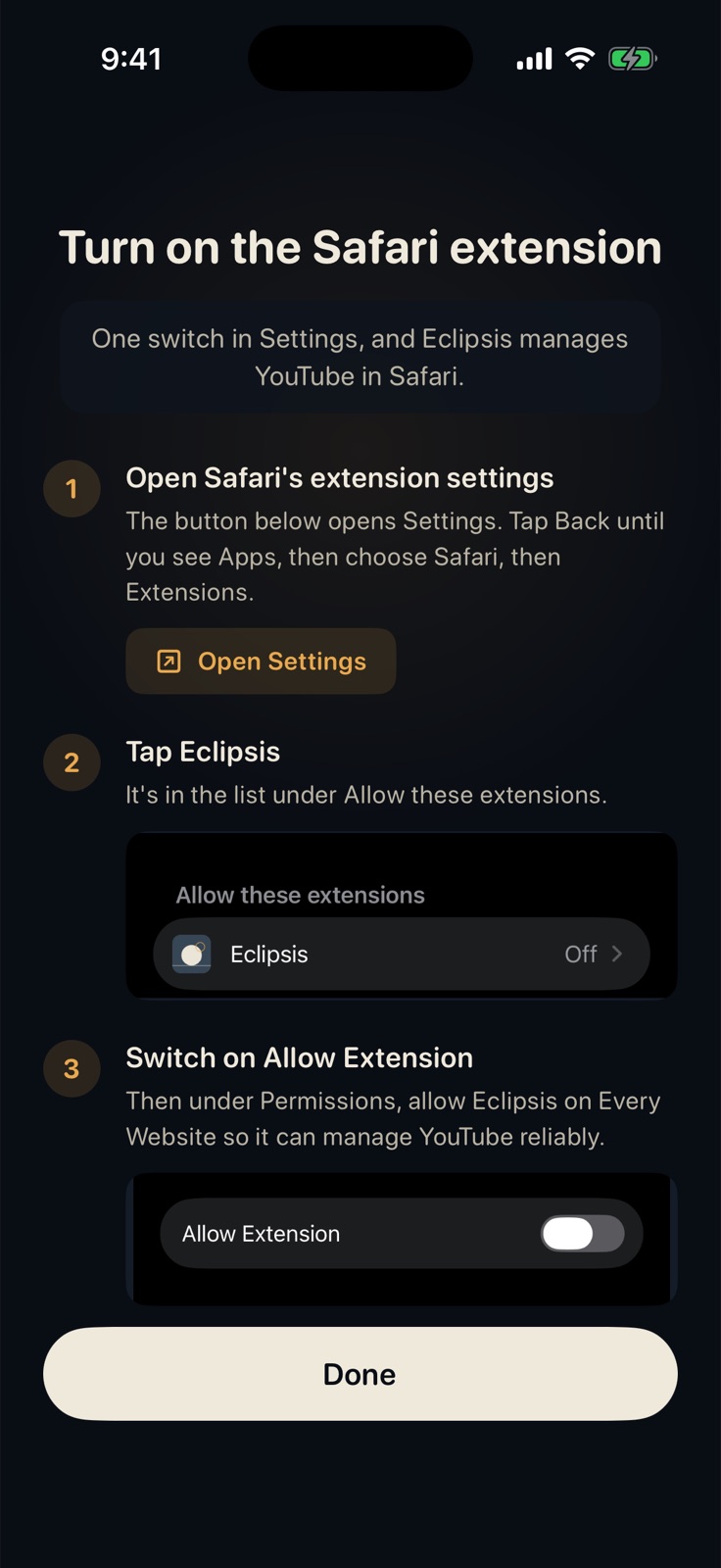
02
Settings, Apps, Safari, Extensions: switch Eclipsis on.
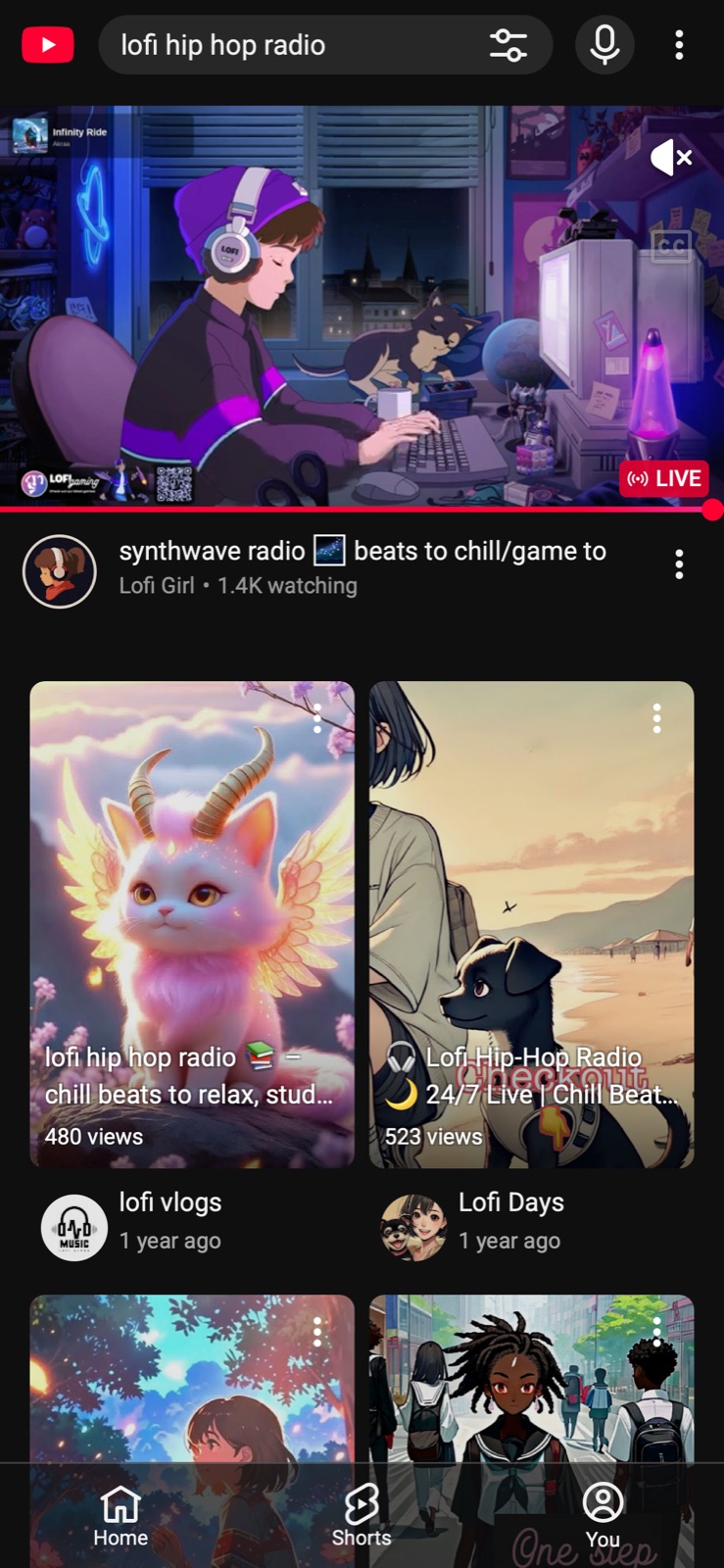
03
YouTube before: a Shorts shelf in every result list.Before
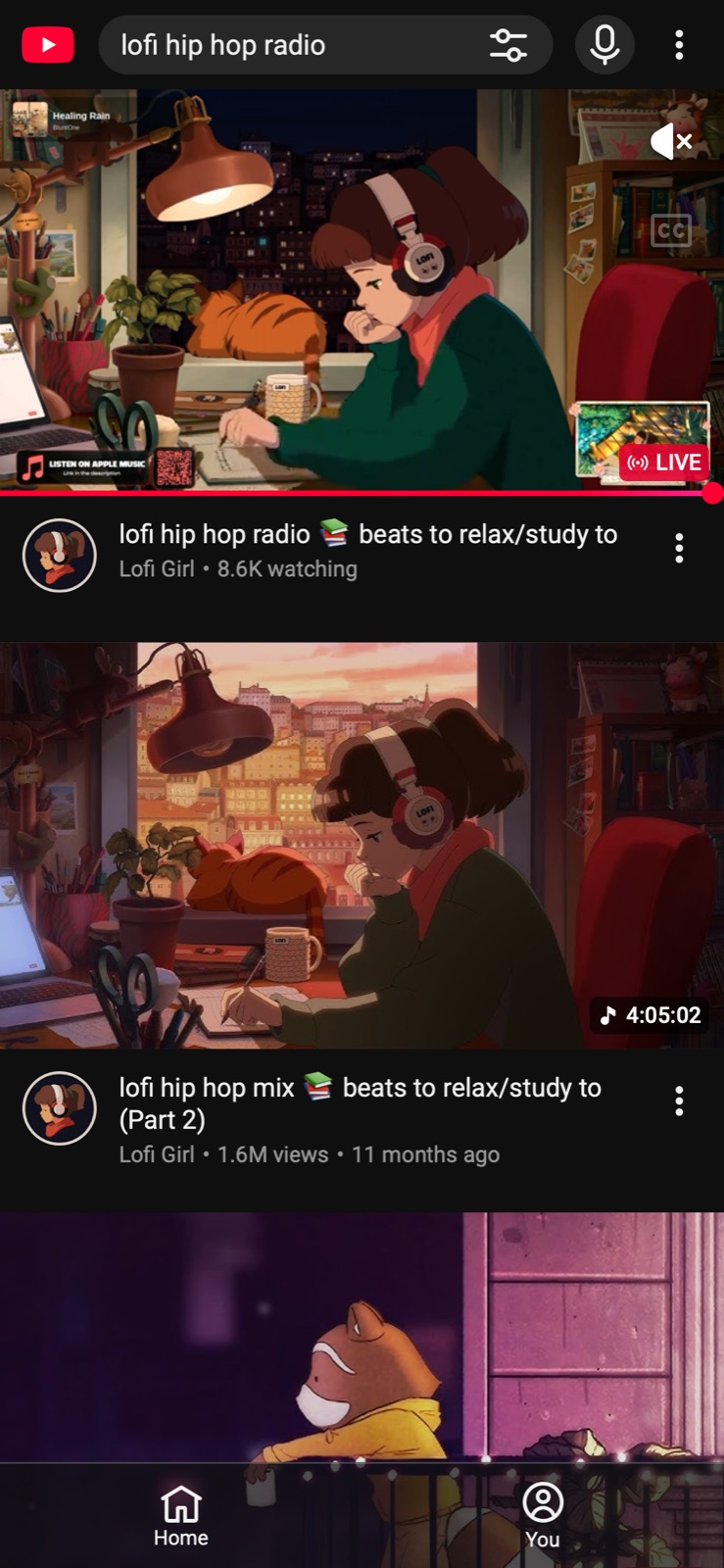
04
YouTube after: only the videos you searched for.After
Get Eclipsis. Free on the App Store. The slowdown and Parent Mode are Eclipsis Pro.
Get the iPhone appQuestions
- Does this work in the YouTube app?
- No. It works in Safari, where Eclipsis can change the page. Open youtube.com in Safari, or let Eclipsis's app lock hide the YouTube app so Safari is the way in.
- Is it free?
- Yes. Shorts removal and feed cleanup are part of the free tier. Eclipsis Pro adds the slowdown that makes feeds run out, and Parent Mode.
- What else disappears?
- Autoplay, the recommendation rail and the open-in-app nags. Search, subscriptions, comments and your library all keep working.