Full removal
Shorts shelves, autoplay rails, recommendation grids, promoted posts. Gone before the page even draws them. Not hidden. Gone.
YouTube · every feedEclipsis is a free browser extension and iPhone app that makes social media feeds less addictive. Shorts, recommendation shelves and autoplay are filtered out; the posts you came for stay.
Short-form feeds, autoplay queues, and infinite scrolling are not features. The point of modern social media is to be as addicting as possible, regardless of what it does to you mentally.
Average daily time on social media, globally. That’s over 35 full days a year. (DataReportal, 2025)
Times the average American checks their phone per day, once every 5 waking minutes. (Reviews.org, 2024)
Of users check their phone within 10 minutes of waking up. Before they’re even out of bed. (Reviews.org, 2024)
Shorts shelves, autoplay rails, recommendation grids, promoted posts. Gone before the page even draws them. Not hidden. Gone.
YouTube · every feedThe bottomless feed quietly runs out. A handful of posts arrive free, then each one takes a little longer, so the doomscroll has a natural end instead of pulling you on. No popups, no countdowns.
Instagram · X · Reddit · morePosts that read like a machine wrote them get filtered out of your feed. Judged privately on your device, tuned to be careful, and switchable per platform.
Six platforms and counting · on-deviceOn iPhone, the apps that own your evenings are hidden and replaced with versions that cut the doomscroll and the worst of the addictive mechanics.
iPhone · Screen TimeEvery video opens full-width in a clean, focused viewer. Closer to a film than a feed, with nothing in the margins begging for the next click.
YouTubeTightening is instant; loosening takes a deliberate three-minute pause while your own reasons look back at you. Parent Mode locks it all behind a passphrase. We hold the line.
All platforms · optionalTwo ways in: the browser extension, free on desktop forever, and the iPhone app, free to start with the widgets, wallpapers, and feed cleanup built in. Eclipsis Pro adds the heavy machinery, with a free introductory offer for eligible subscribers.
People bolt tool after tool onto a phone to survive it: a screen-time tracker here, an app blocker there, a launcher, a widget studio. Eclipsis Pro folds all of it into one calm surface, and the shadow covers everything. A generous slice is free; Pro covers the rest, with an introductory offer for eligible subscribers.
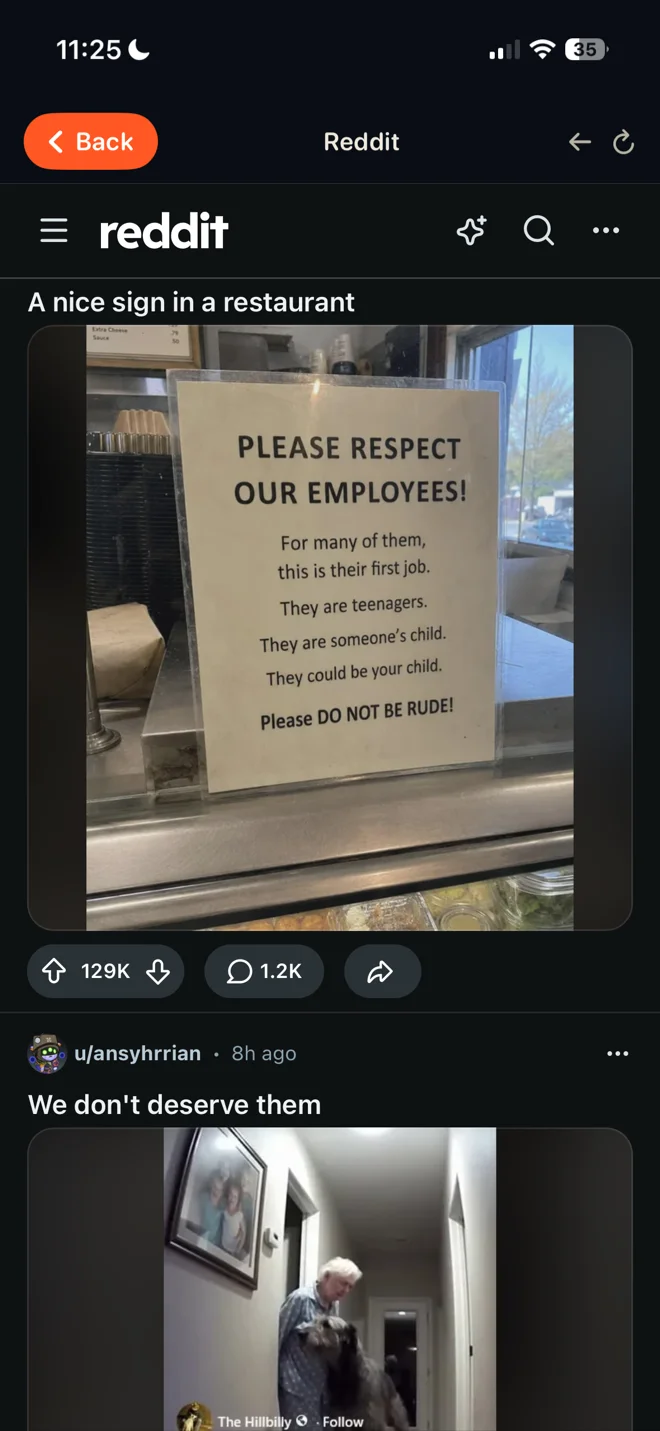
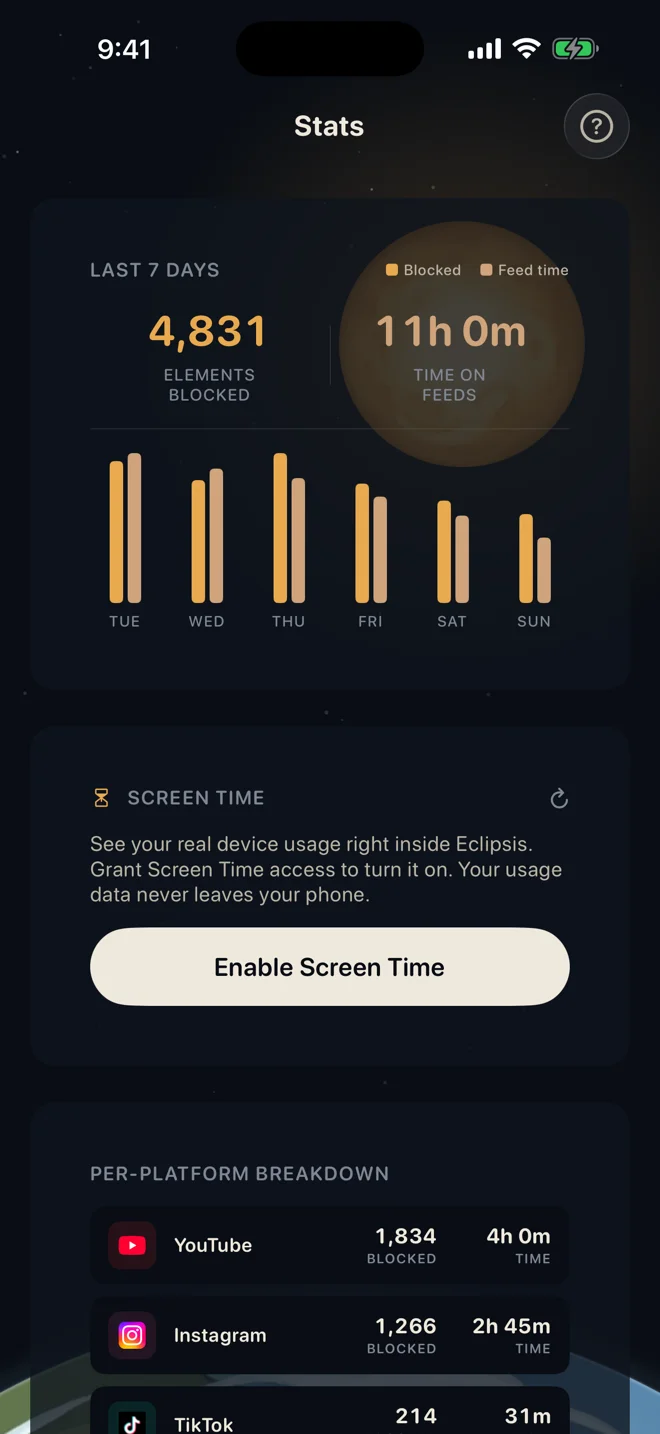
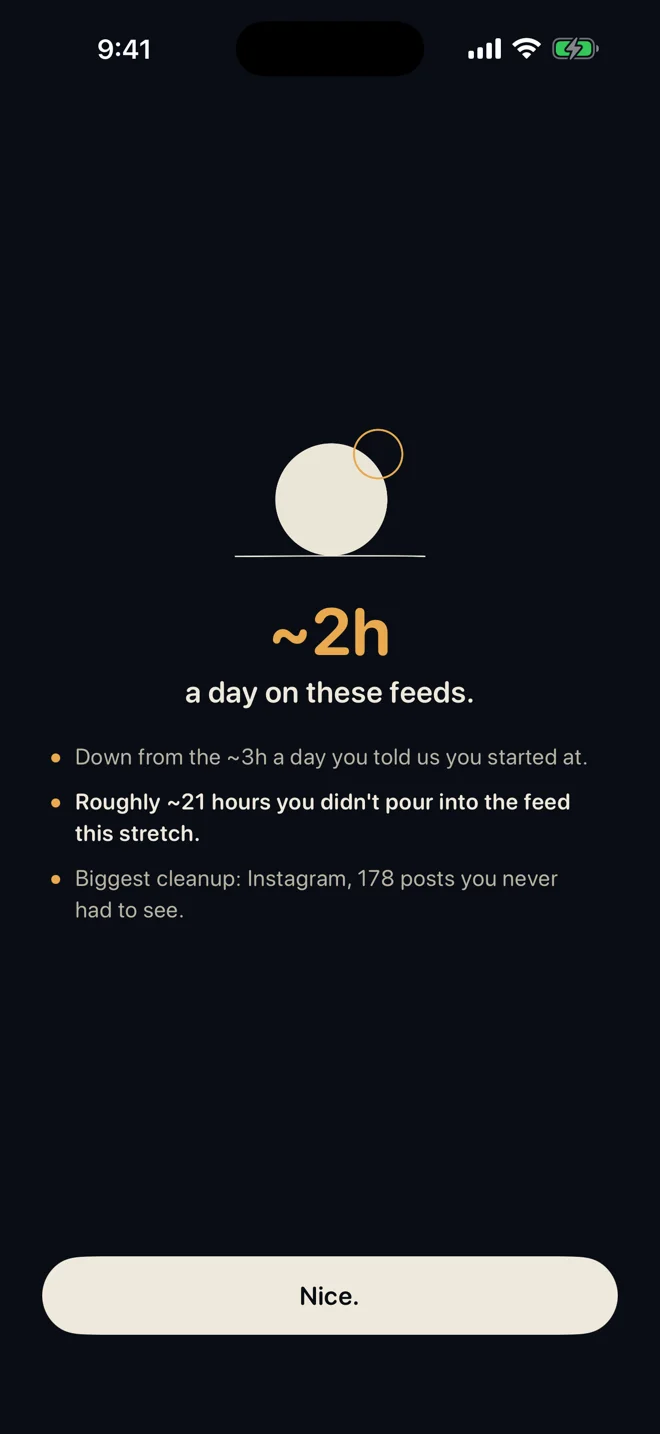
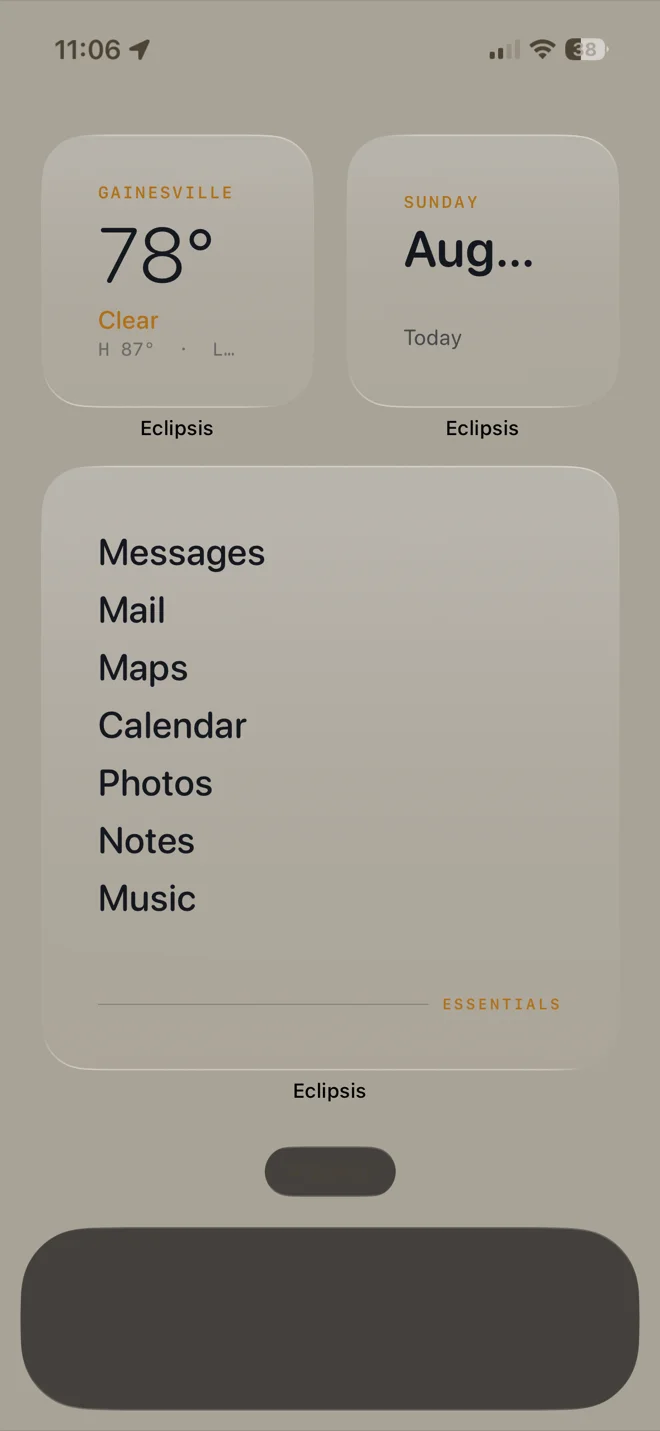
An app blocker, a screen-time tracker, parental controls, a launcher, a widget studio. Five subscriptions, five accounts, five apps nagging you.
Everything in one. Or $29.99 a year. Introductory offer for eligible subscribers. Cancel anytime, no ads, no tracking.
INTRODUCTORY OFFER FOR ELIGIBLE SUBSCRIBERS · CANCEL ANYTIME
Parent Mode is not a spy camera and not a wall around the whole internet. It is a passphrase only you know, one dial that decides how fast every feed lets go of the next post, and an off switch for the apps you have already decided about. Set it once, hand the phone back, and Eclipsis holds the line on the device. Nothing your child does on it is reported to us, or to you.
Every setting that could loosen the grip asks for it first: the mode, the intensity, the lock, even the account. Your child can browse. They cannot renegotiate. Delete the app and reinstall it, and it comes back locked.
Recovery built in · 24-hour delayEclipsis makes each new post wait a little longer than the last, and holds each video the same way. The pace dial scales that whole curve, on every feed at once: gentler for a first week, firmer when the grades come in. You see the curve move as you drag, in real seconds.
Every platform · one dragSome apps are not a pacing problem. Flip one off and it stops opening: not inside Eclipsis, not in Safari, and with the Screen Time lock on, not from the Home Screen either. The tile dims, the widget row goes, and the decision stays made until you say otherwise.
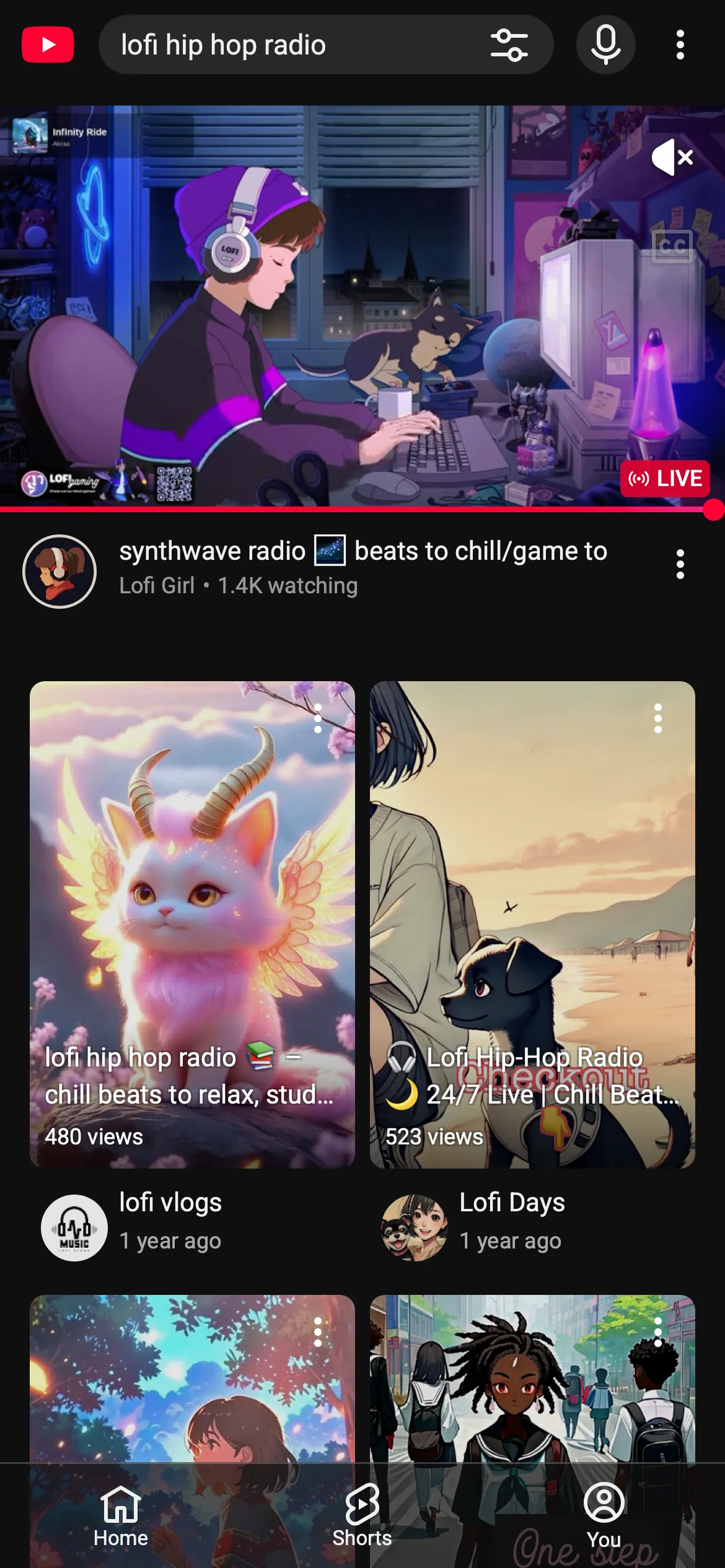
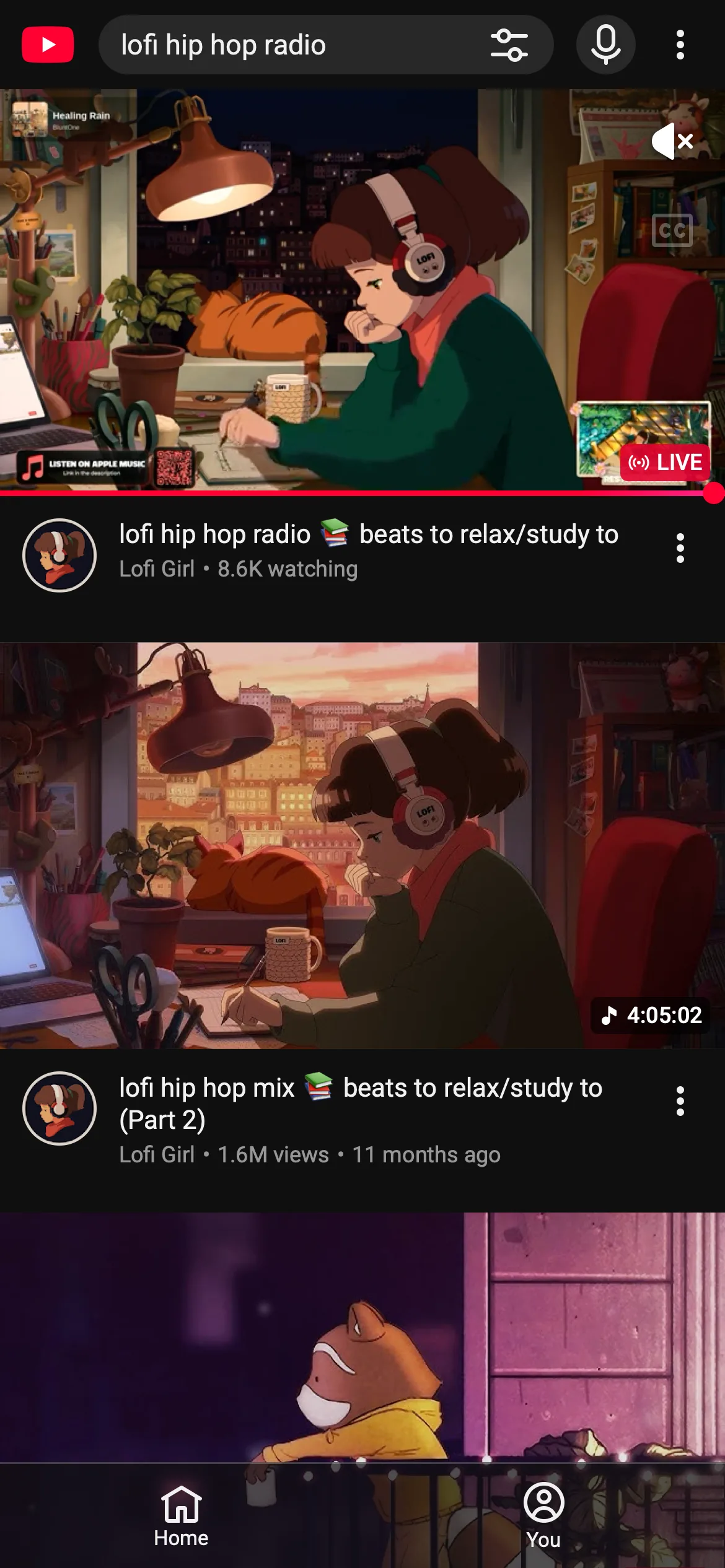
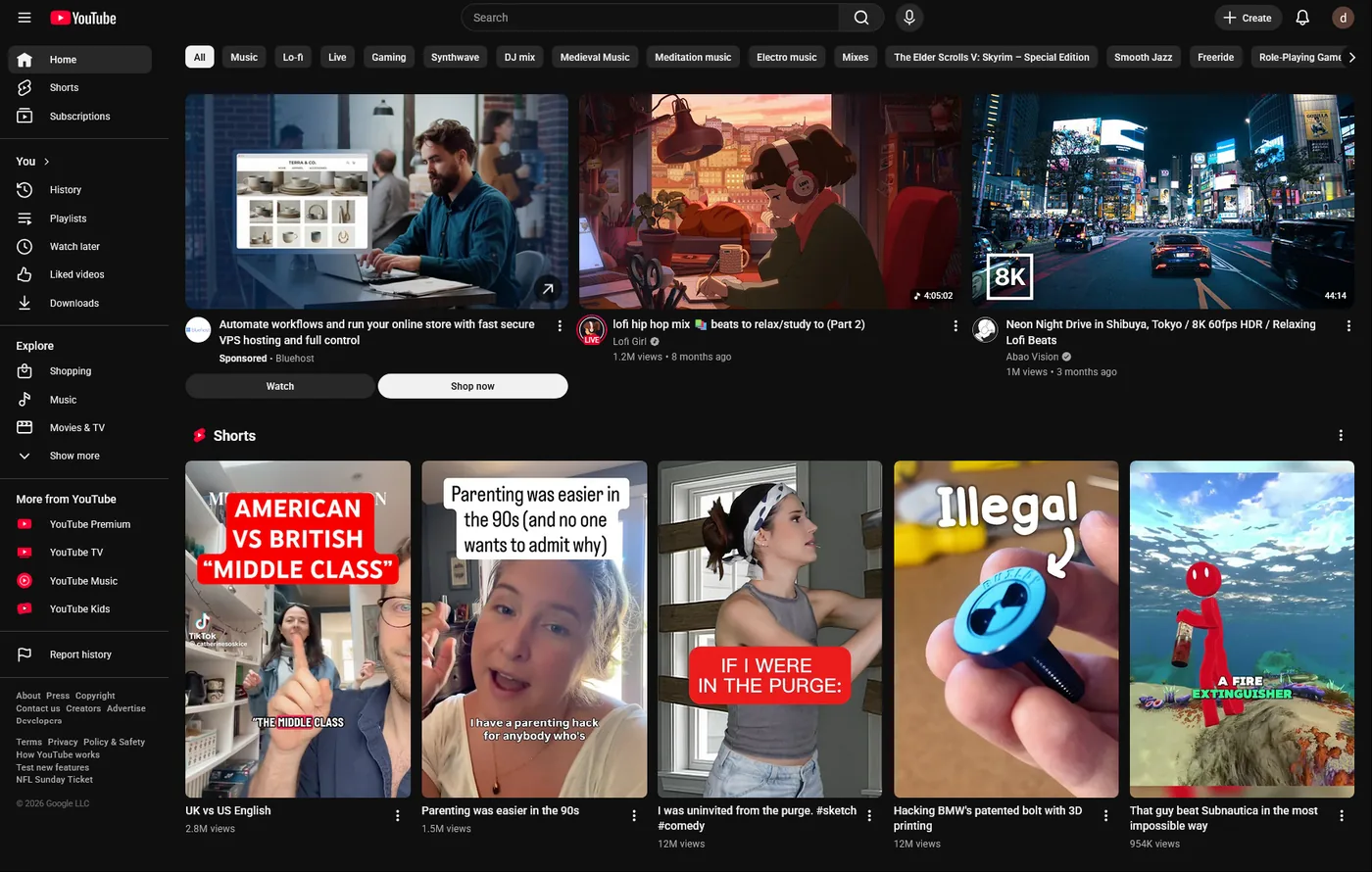
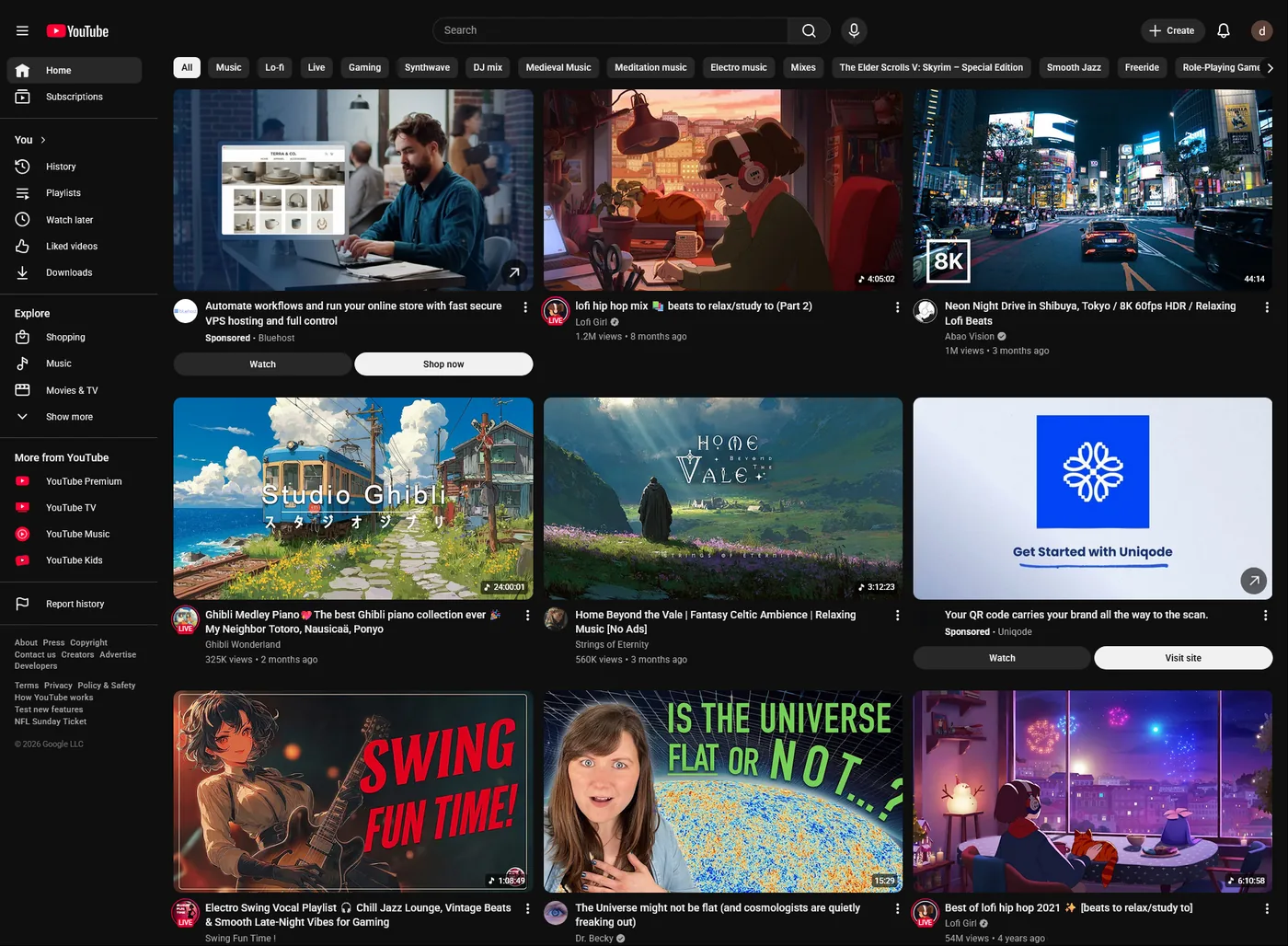
iPhone · Parent ModeSame browser, same account, same videos. Two captures, the watch page and the home feed, with Eclipsis off, then on. No retouching. And the browser extension doing it is completely free on desktop.
Default YouTube hands you a video and a sidebar of three more, plus a live chat panel, plus end cards, plus comments below the fold. Eclipsis strips that down to the thing you came for. You watch it, then you decide what’s next, instead of the algorithm deciding for you.
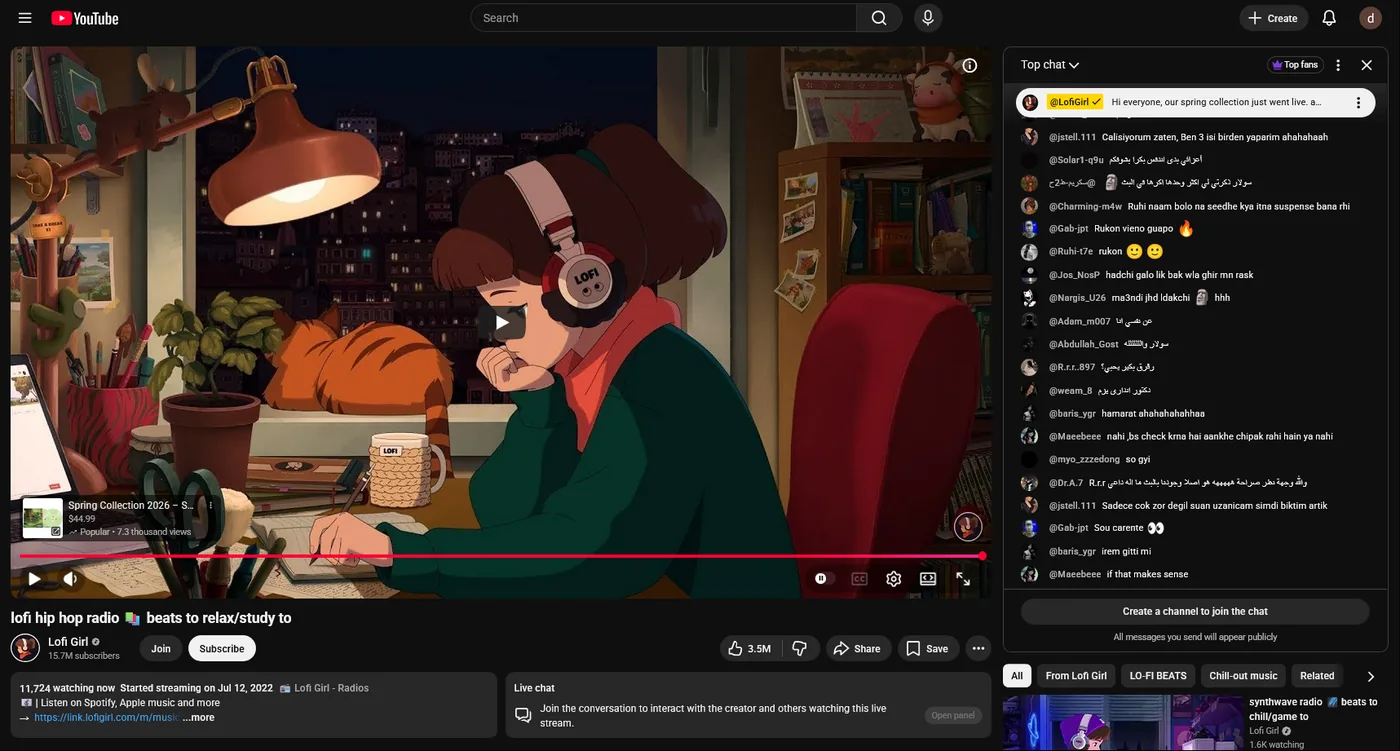
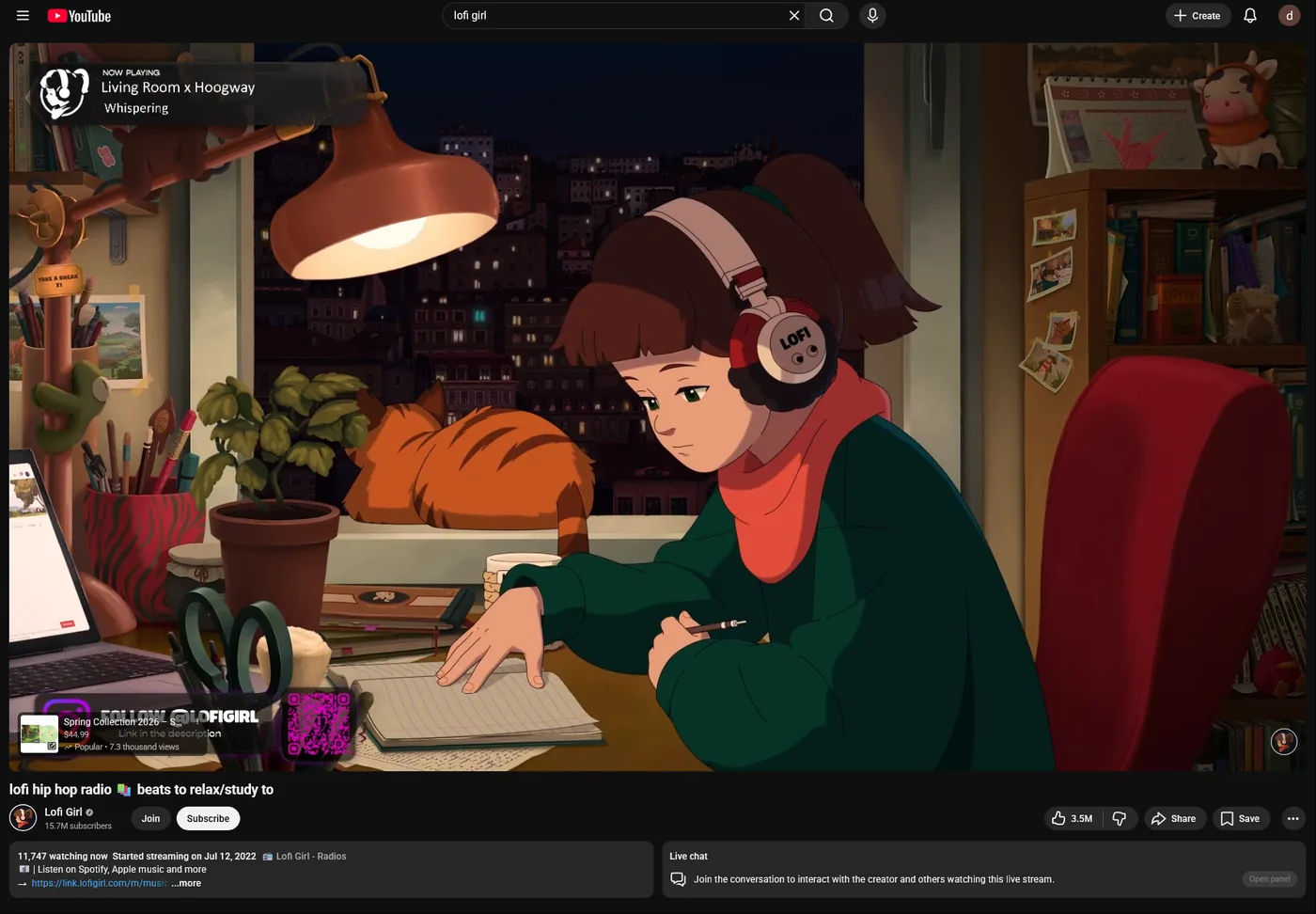
The home feed is YouTube’s most engineered surface, a Shorts shelf pinned in the middle, recommendation cards tuned to your watch history, ads dressed up as videos. Eclipsis removes the shelf entirely and quiets the rails, leaving a feed of regular videos you can scan.
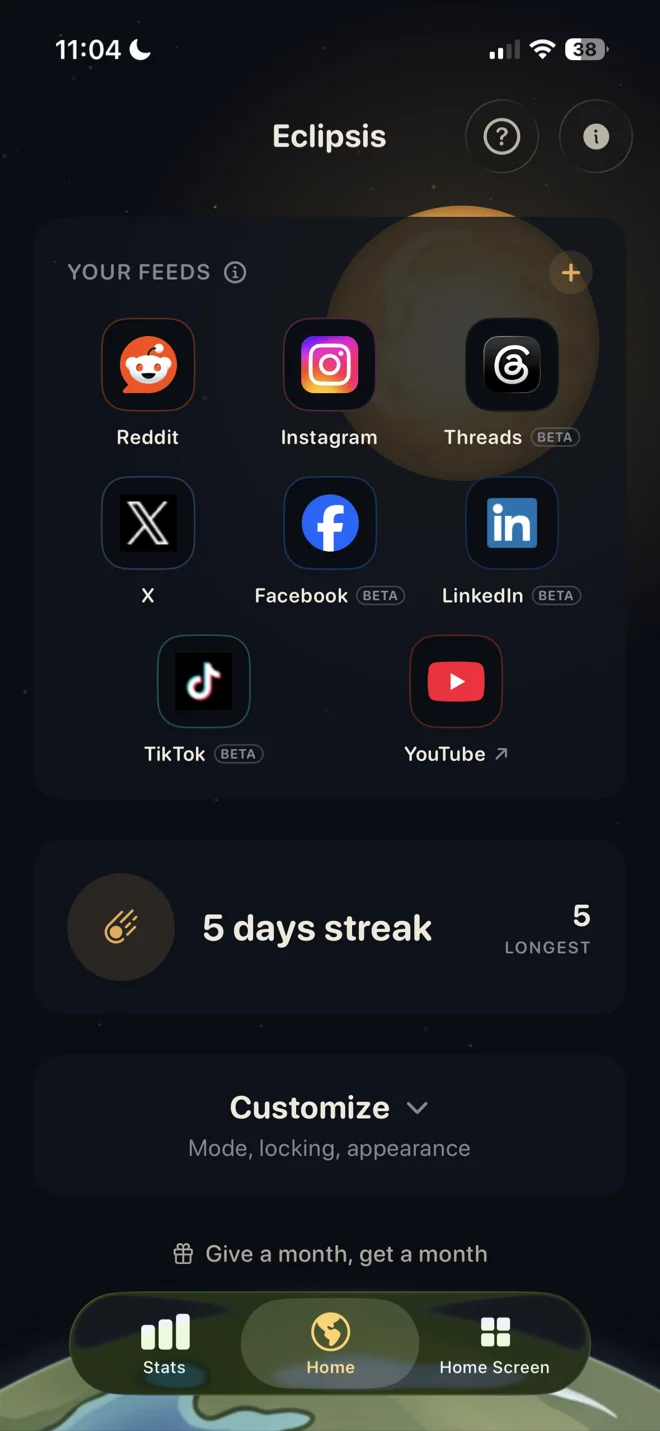
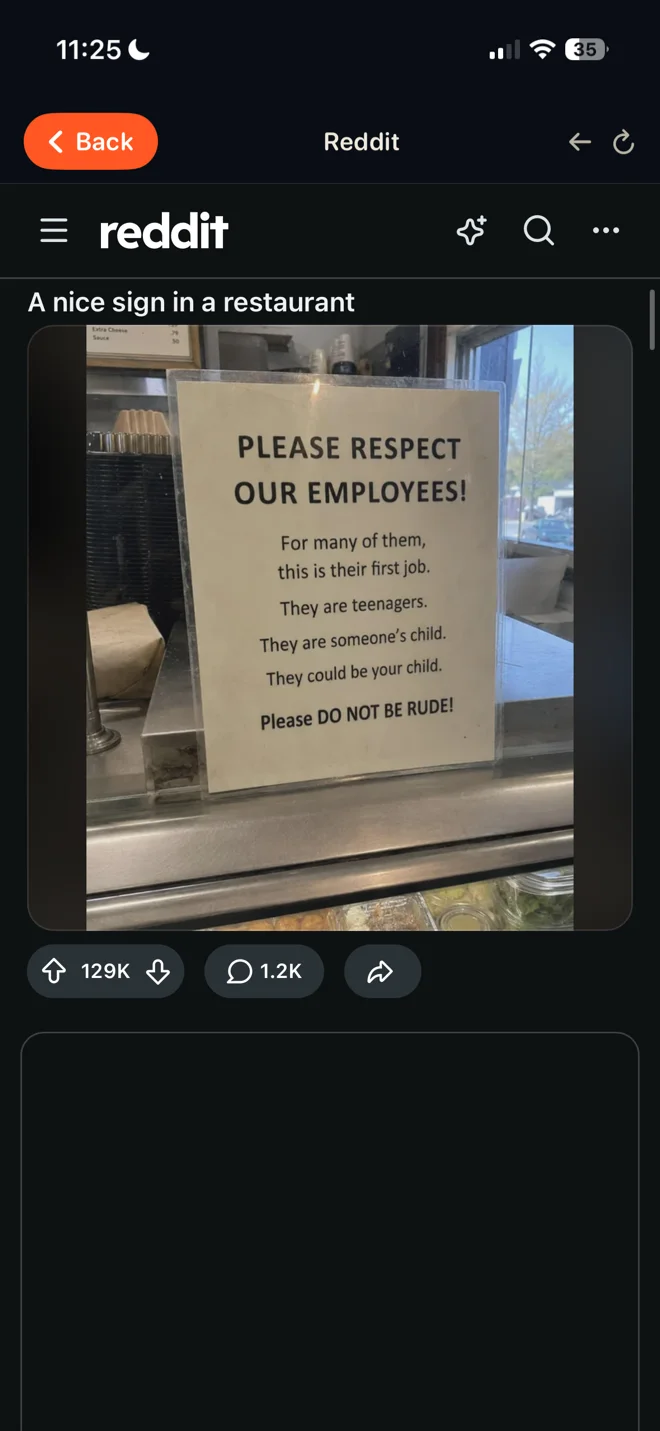
The same model applies to TikTok, Instagram, X, Reddit, Facebook, Threads, and LinkedIn.
Different surfaces, same surgical removal.
The mechanics that keep you scrolling aren’t a coincidence and they aren’t your lack of willpower. They draw on the same intermittent-reward principles B.F. Skinner documented in the 1950s, ported to your phone and tuned by teams of behavioral scientists. Eclipsis removes the levers. Here’s what the research says.
Scrolling under uncertainty taps the brain’s reward system. Dopamine responds less to the good thing itself than to the anticipation of it, and that anticipation is strongest when the reward is unpredictable, the same mechanism that makes slot machines compulsive. Infinite scroll, autoplay, and pull-to-refresh are textbook variable-ratio reinforcement.
Sharpe & Spooner, 2025 · Clark & Zack, 2023Dr. Gloria Mark at UC Irvine has measured how long people stay on a single screen since 2004 using objective computer logging. The average then was 2½ minutes. Since around 2016 it has held near 47 seconds, with a median of 40 seconds, meaning half of all observations were shorter than that.
Mark, UC Irvine · 20+ years of logging dataInternal platform metrics optimize for session length and daily return rate, not for whether you’re glad you opened the app. Autoplay, pull-to-refresh, and algorithmic resurfacing exist because they move those numbers. Eclipsis doesn’t fight your willpower; it removes the mechanics that were built to defeat it.
Short-form feeds (TikTok, Reels, Shorts) are tuned for rapid, unpredictable reward on a loop measured in seconds. Research on heavy users consistently finds the format engages attention and impulse-control differently from long-form video: faster switching, harder disengagement. The 6-second loop isn’t neutral.
Attention research on heavy short-form usersNone of this is news to the platforms. They have the same data, plus a great deal more. The slot machine is the product. Eclipsis blots it out.
On desktop and laptop, yes, completely free, no accounts, no ads, no upsells. On iPhone the app is free to start too: widgets, wallpapers, and the feed cleanup cost nothing. Eclipsis Pro (the pacing, the AI filter, Parent Mode) is the subscription, and eligible subscribers can claim the introductory offer shown at checkout. Android is planned; it is not available yet.
Screen-time apps wait until you’ve already spent the time, then tell you about it. Eclipsis takes the most addictive parts out of the page before you ever see them, so there’s less to resist in the first place.
Yes. You decide what changes. Some platforms can be cleaned up entirely, others can have a short cooldown after a few posts, and you can leave any of them alone if you want.
No. On Reddit, X, and Instagram the cooldown just stops the feed from handing you new posts, with no popup or countdown sitting on top of the page. The page stays usable, you can scroll what’s already there, open a comment thread, follow a search, visit a profile. We don’t take the site away, we just close the tap on new content. Eclipsis is a wall, not a cage.
The iPhone app is on the App Store and free to start. Eligible subscribers can claim the introductory offer shown by the App Store. Android is planned; it is not available yet.
You might. That’s why there’s an optional lock, once you turn it on, the cooldown sticks and you can’t wriggle out of it early. Think of it as a promise you make to yourself when you’re thinking clearly, that gets honored when you’re not.
Yes. Parent Mode (part of Pro) puts every Eclipsis setting behind a passphrase only you know, then gives you two controls of your own: a pace dial that makes every feed’s slowdown gentler or firmer with one drag, and outright blocks for any app, so TikTok simply doesn’t open. It works best on a child Apple Account in your Family Sharing group, where iOS itself stops the app from being deleted. Nothing your child does on the phone is reported to us or to you; Eclipsis holds the line on the device and stays out of the surveillance business.
No. Pages load just as fast, often faster, since there’s less to render.
Desktop and laptop are free, forever. The iPhone app is free to start, with Pro at $3.99 a month or $29.99 a year and an introductory offer for eligible subscribers. An account connects mobile subscriptions; the desktop extension needs no account. Android is planned; it is not available yet.
CHROME AND FIREFOX NEED NO ACCOUNT · MOBILE SUBSCRIPTIONS ARE SEPARATE