An Opal alternative
that keeps the apps.
Opal is good at walls. If you want to keep using your apps without the endless feed, a different kind of tool fits better.
What Opal does well
Opal is a blocker. You choose apps and sites, then block them on a schedule or during focus sessions, and its Deep Focus sessions cannot be cancelled once they start. It runs on iPhone, Android and Mac and is well liked: 4.7 stars from about 89,000 App Store ratings.
Why people look for an alternative
- The price. Opal's free plan includes one rule. Pro is $19.99 a month or $99.99 a year, according to its pricing page.
- All or nothing. A blocked app is simply off. When it unblocks, the feed is as sticky as it ever was.
- The feed is untouched. Whenever the app is open, the Shorts, Reels and recommendation shelves are all still there.
What Eclipsis does instead
Eclipsis changes what is inside the feed. YouTube Shorts, recommendation shelves, autoplay and open-in-app nags are filtered out, free. Eclipsis Pro adds a slowdown: each new post takes a little longer to arrive, until the feed quietly runs out. Search, the people you follow and your messages keep working.
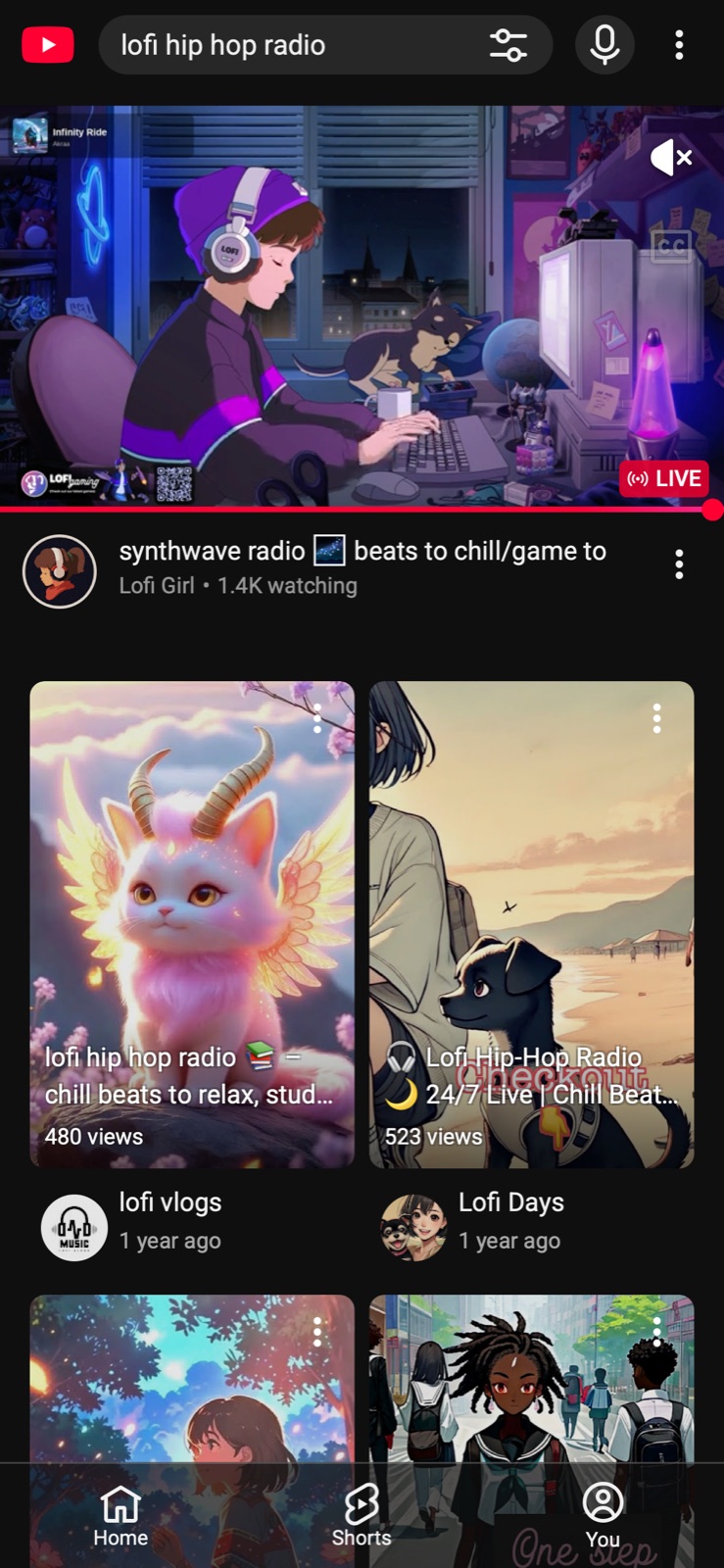
YouTube in Safari: a Shorts shelf first.Before
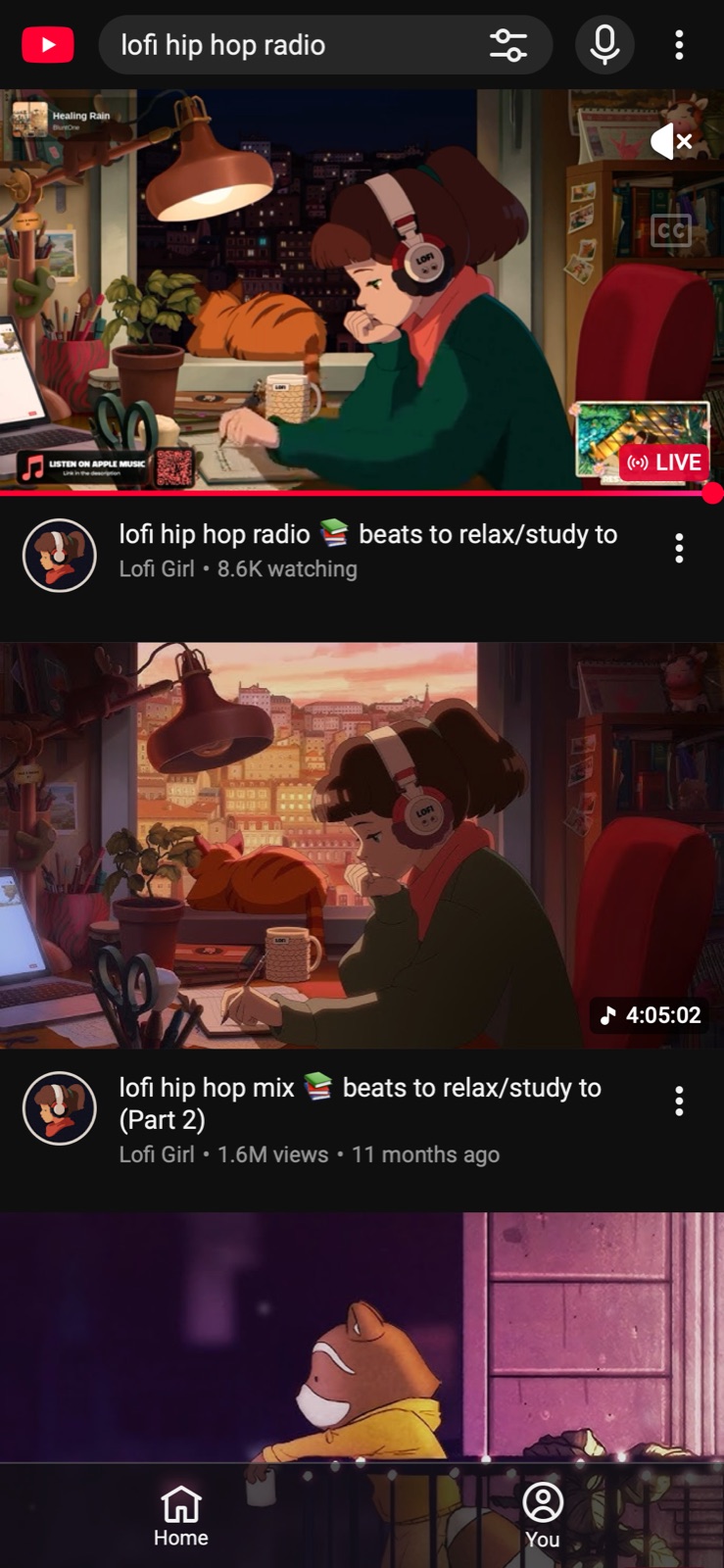
With Eclipsis: the videos you searched for.After
When you do want a wall, Eclipsis has one too. The free app lock hides chosen apps from your Home Screen until a daily window you set, and a Screen Time passcode held by a friend keeps it honest.
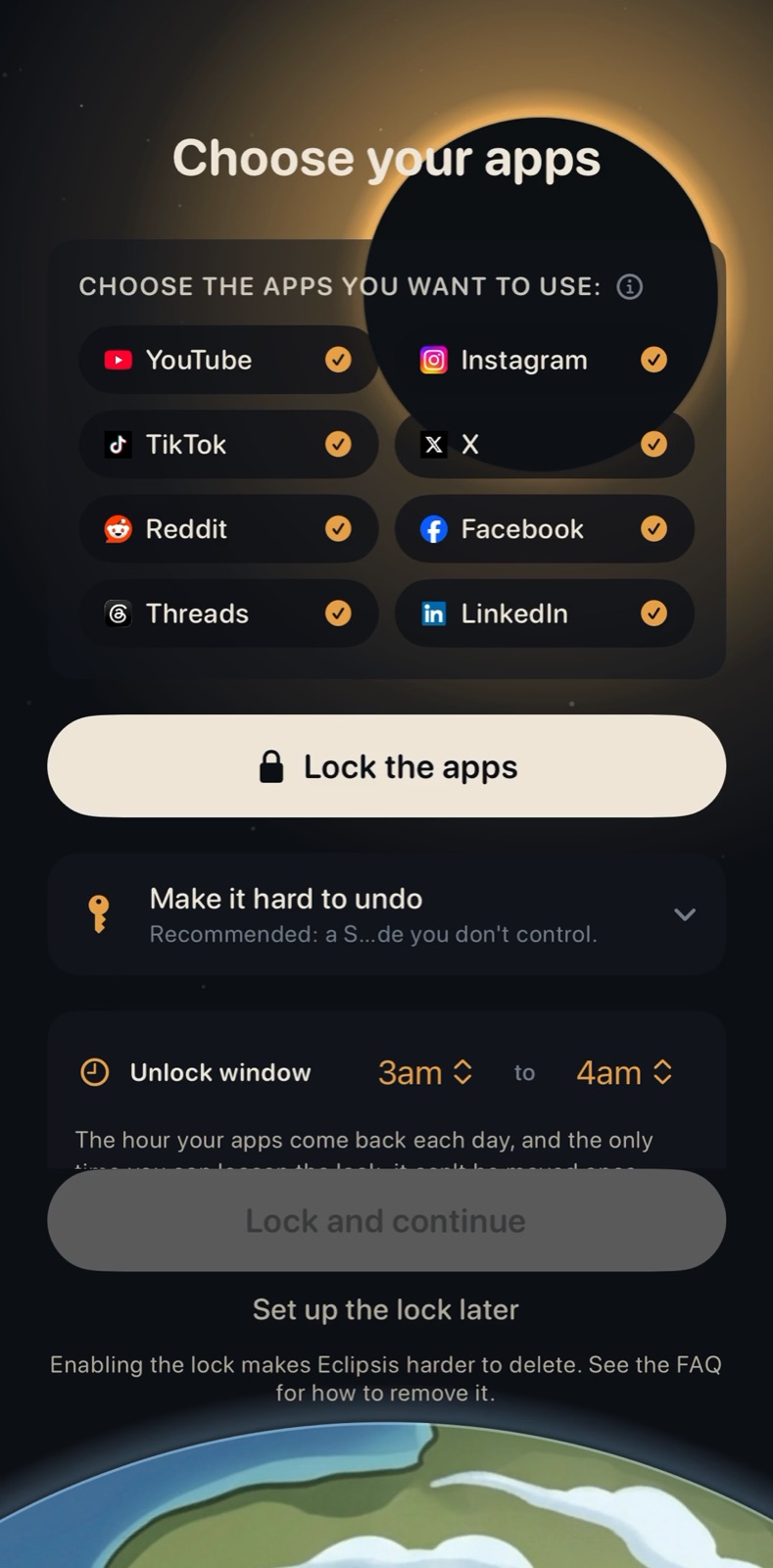
Choose the apps that own your evenings, then tap Lock the apps.
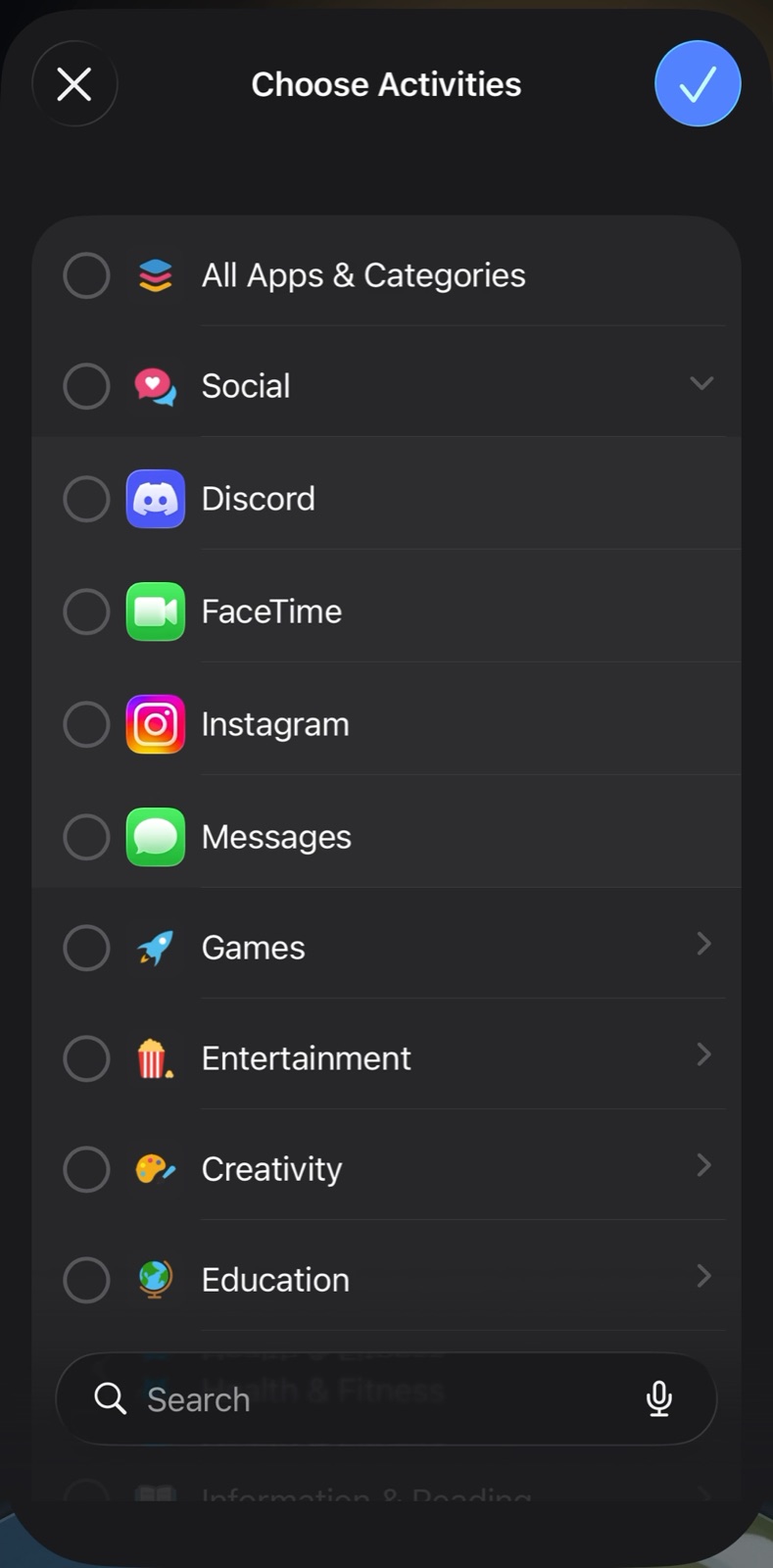
Pick the apps in Apple's picker.
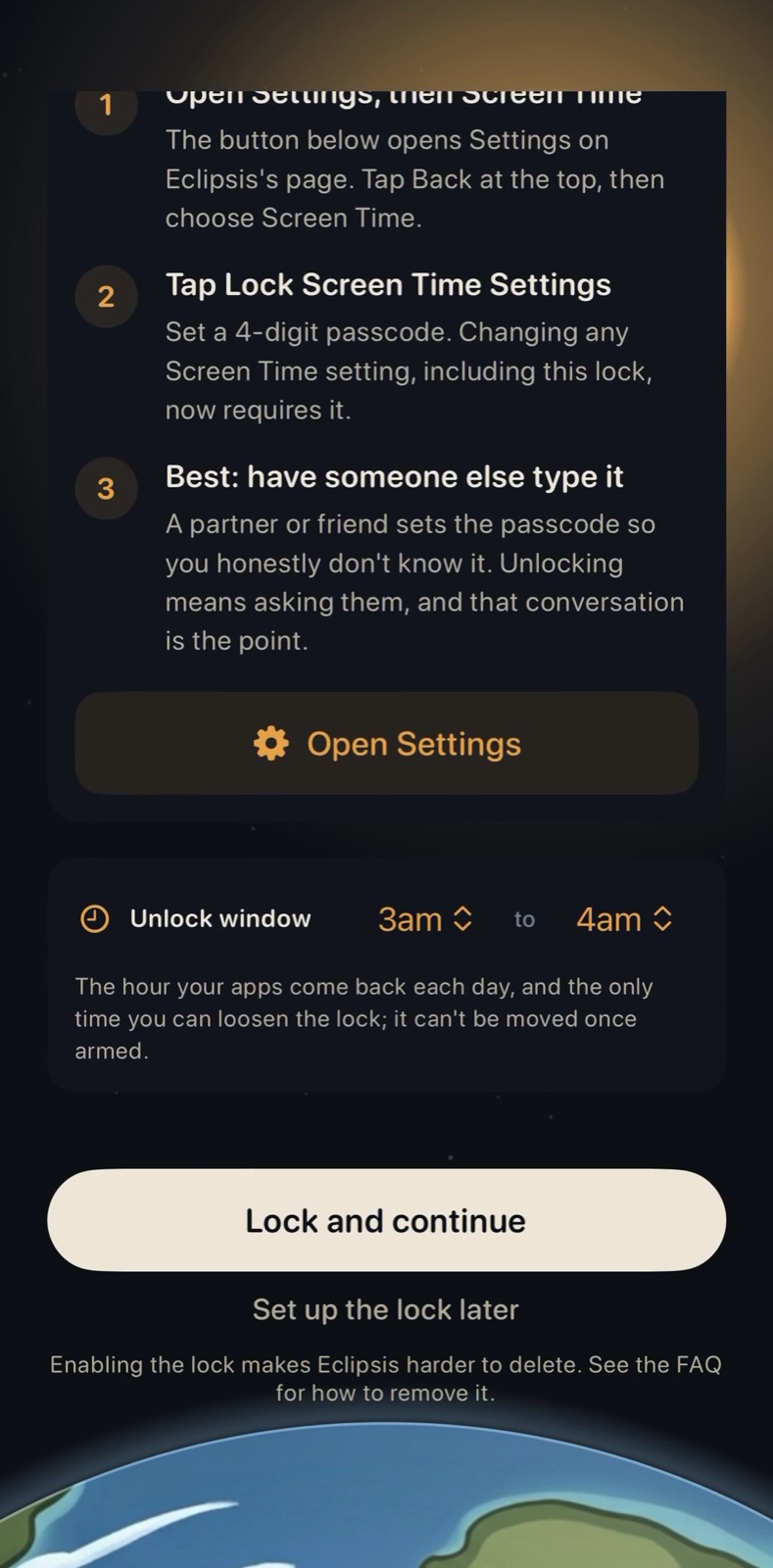
Set the daily unlock window, have a friend set the Screen Time passcode, then Lock and continue.
Side by side
| Eclipsis | Opal | |
|---|---|---|
| Approach | Changes the feed: removes Shorts and recommendation shelves, paces new posts (Pro) | Blocks apps and sites on schedules and in focus sessions |
| Free plan | Feed cleanup, Shorts removal, the app lock, widgets and stats | One rule, basic timers, app blocking |
| Paid plan | $3.99 a month or $29.99 a year | $19.99 a month or $99.99 a year; lifetime $399 |
| Platforms | iPhone, iPad, Safari, Chrome and Firefox extensions | iPhone, Android, Mac |
| App Store rating | New, no ratings yet | 4.7 from about 89,000 ratings |
Opal details from its App Store listing and opalapp.com/pricing on 8 October 2026. Check both for current offers.
When Opal is the better pick
If you work on a Mac or an Android phone, or you want focus sessions you truly cannot break, Opal fits. Eclipsis is not on Android yet.
Using both
They do not get in each other's way. Opal decides when an app can open; Eclipsis changes what you see in Safari and in its own browser once you are in.
Questions
- Is Eclipsis free?
- The Chrome and Firefox extensions are free, and so are the iPhone app's feed cleanup and app lock. Eclipsis Pro, $3.99 a month or $29.99 a year, adds the slowdown that makes feeds run out, the AI feed filter and Parent Mode.
- Can I use Opal and Eclipsis together?
- Yes. Opal gates when apps open; Eclipsis changes the feed in Safari and in its own browser.
- Does Eclipsis work on Android?
- Not yet. Android is planned.