Set up · iPhone · updated 2026-10-02
Screen Time limits
that actually stick.
Pick the apps, let a friend hold the passcode, and the apps vanish until your daily window.
01
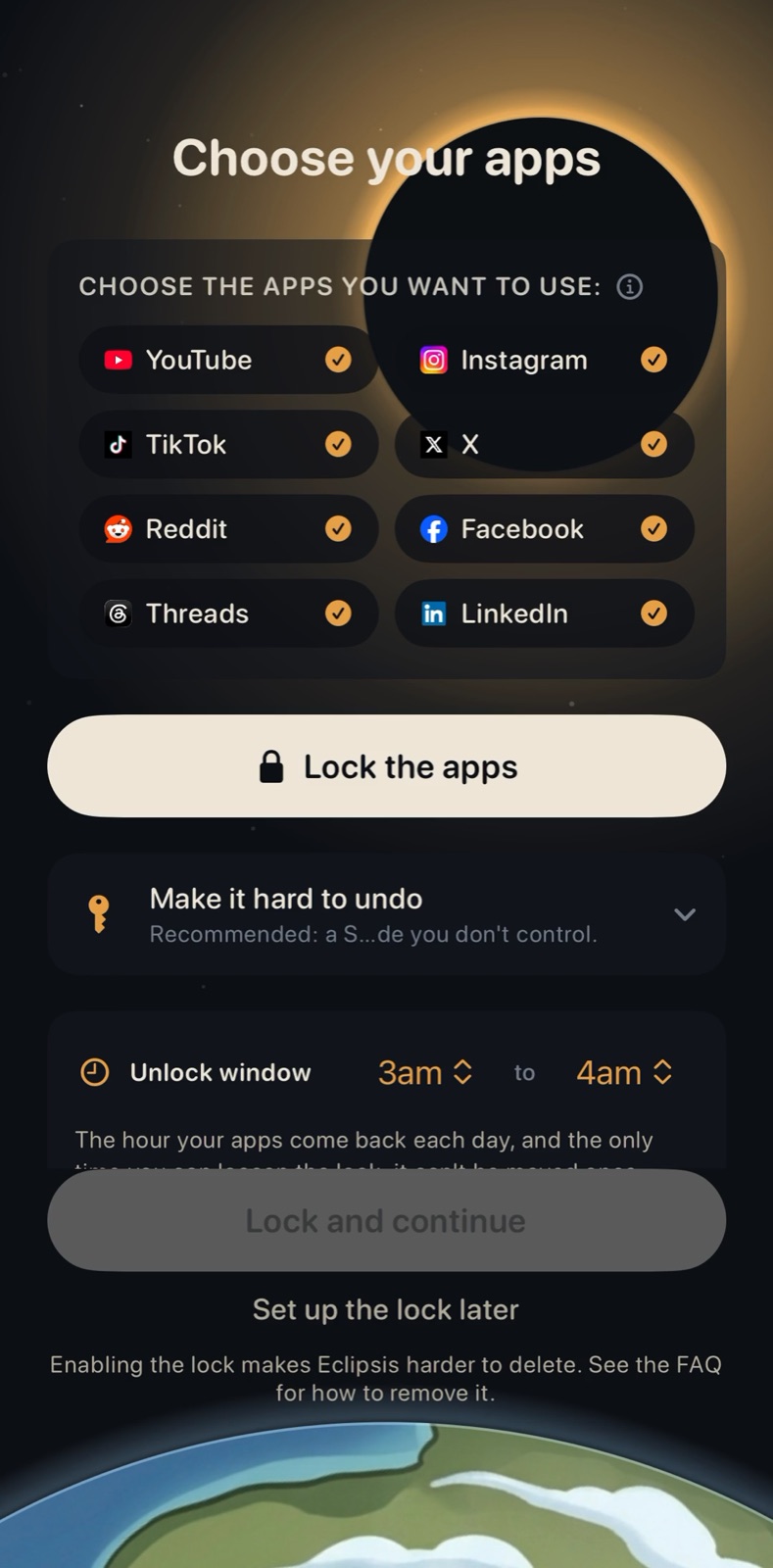
Choose your apps, then tap Lock the apps.
02
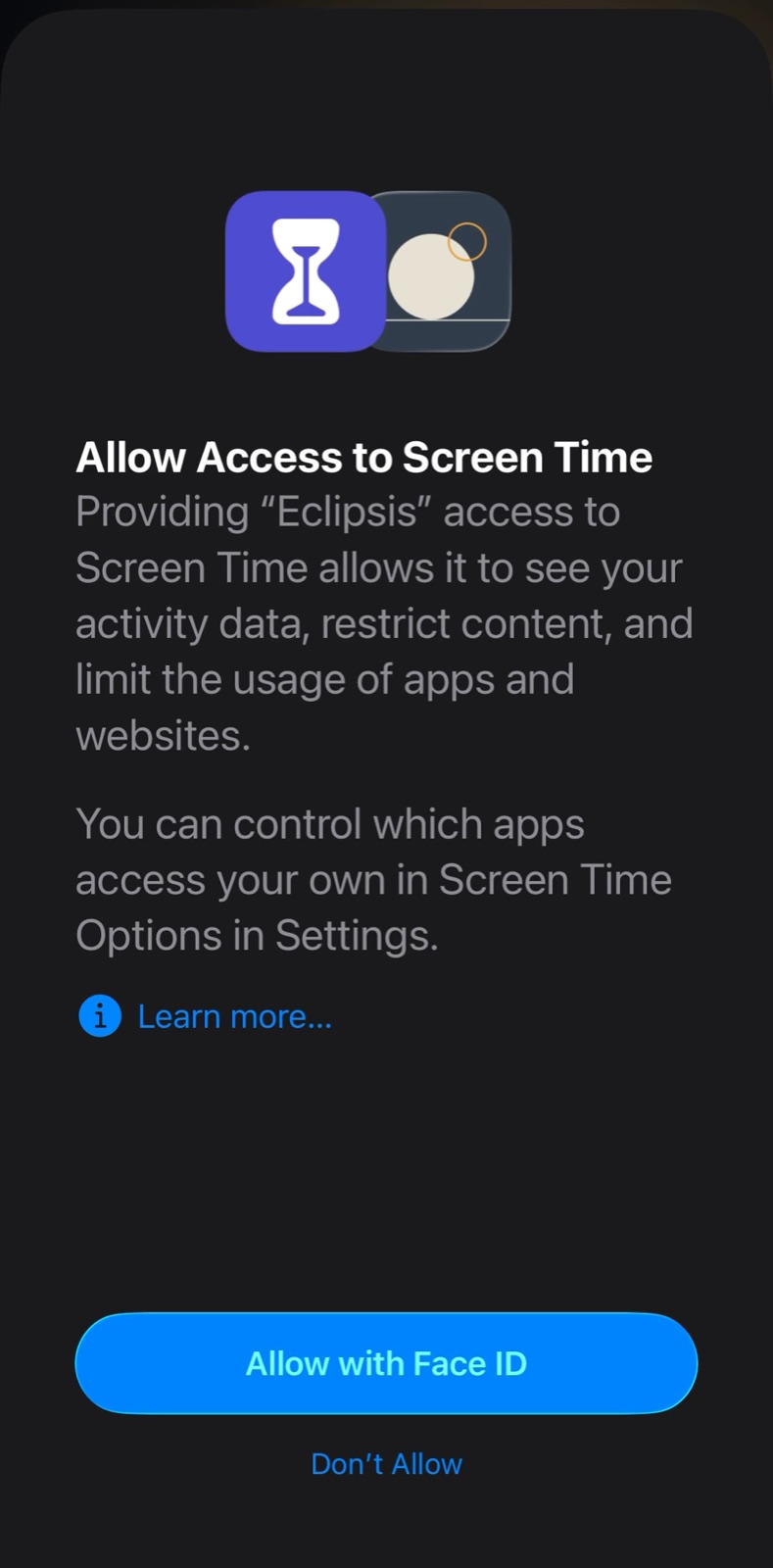
Allow Screen Time access. Apple asks; Eclipsis never sees your usage.
03
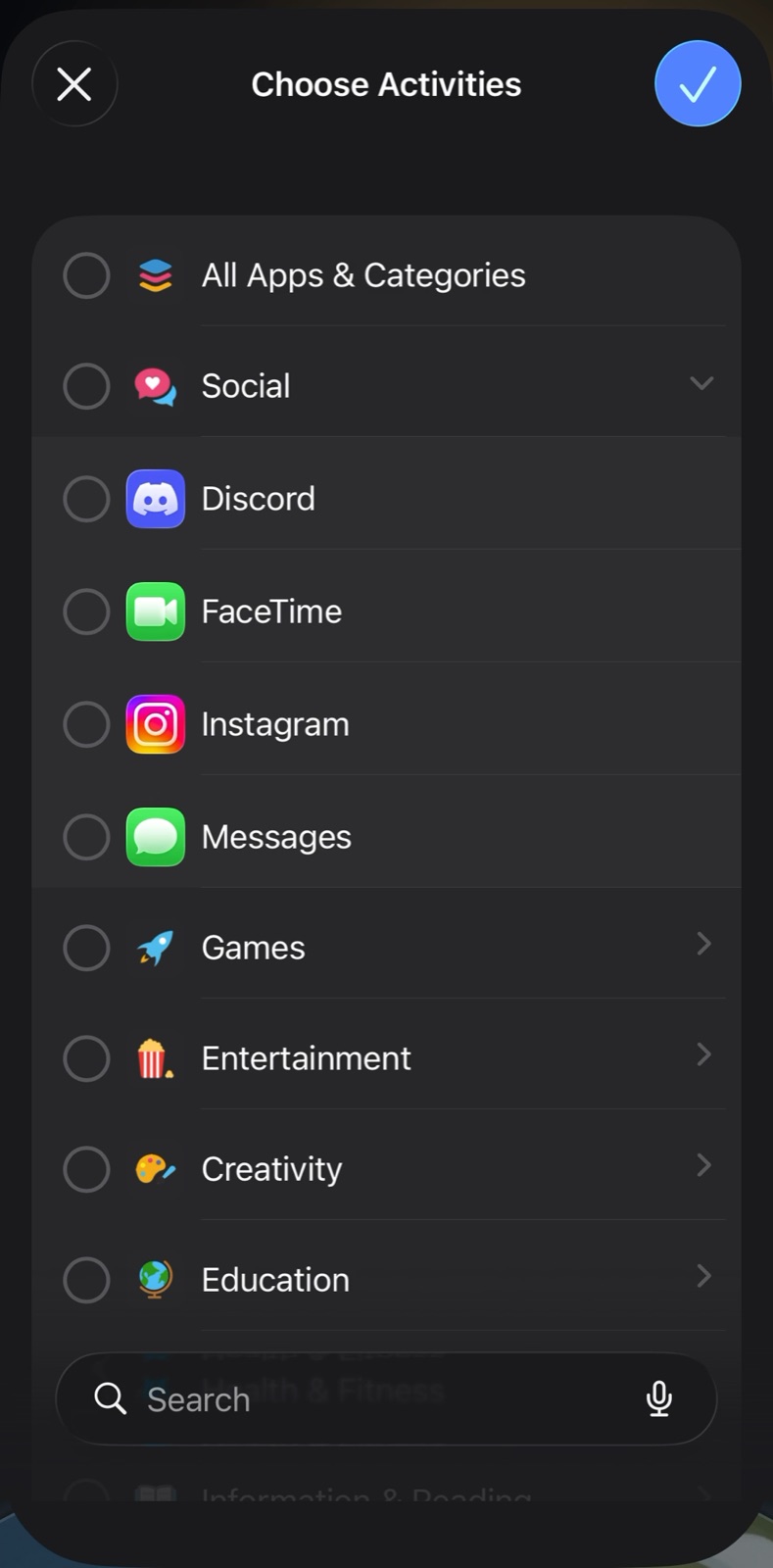
Pick the apps in Apple's picker.
04
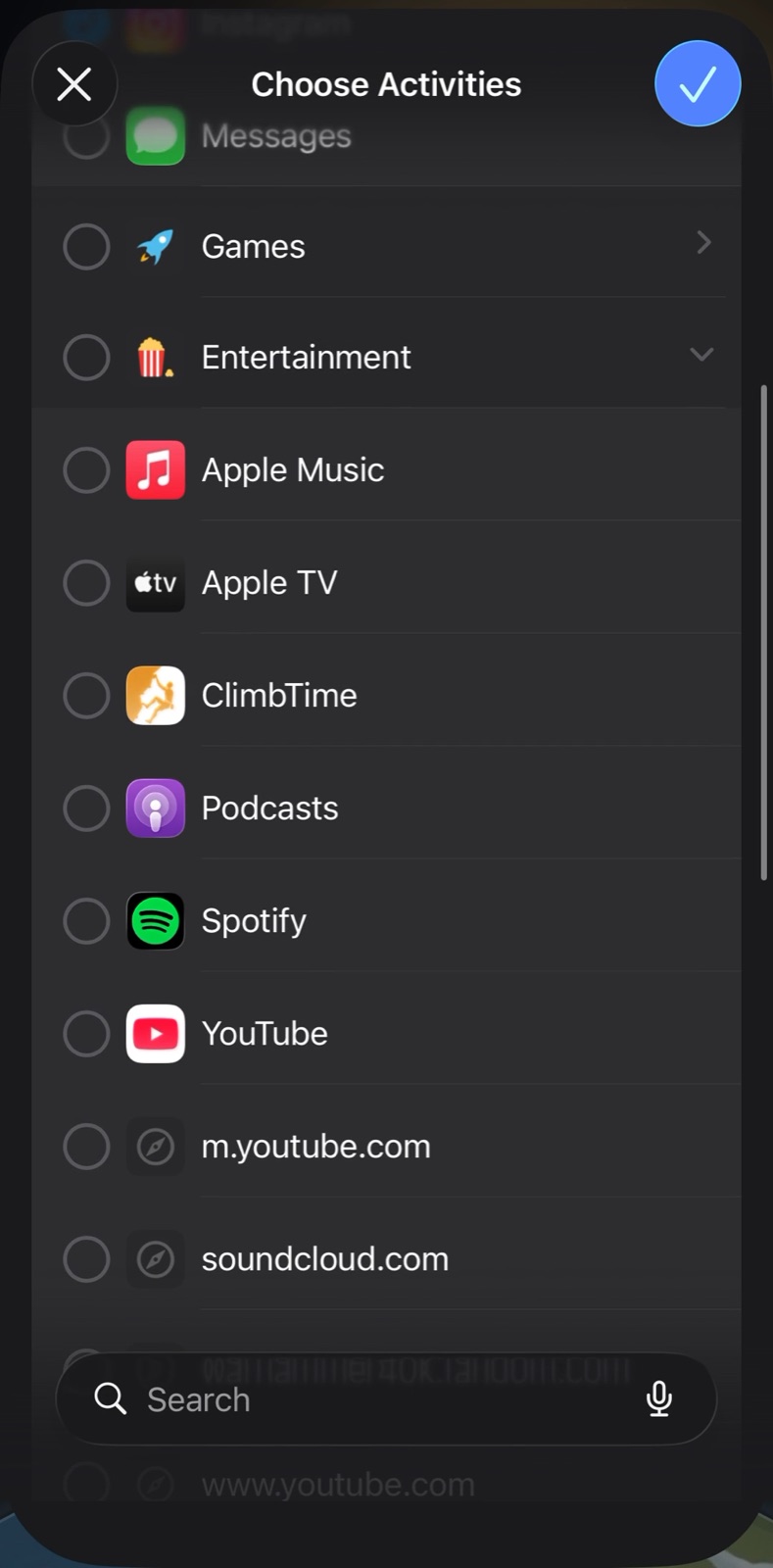
YouTube lives under Entertainment. Leave the website rows unchecked.
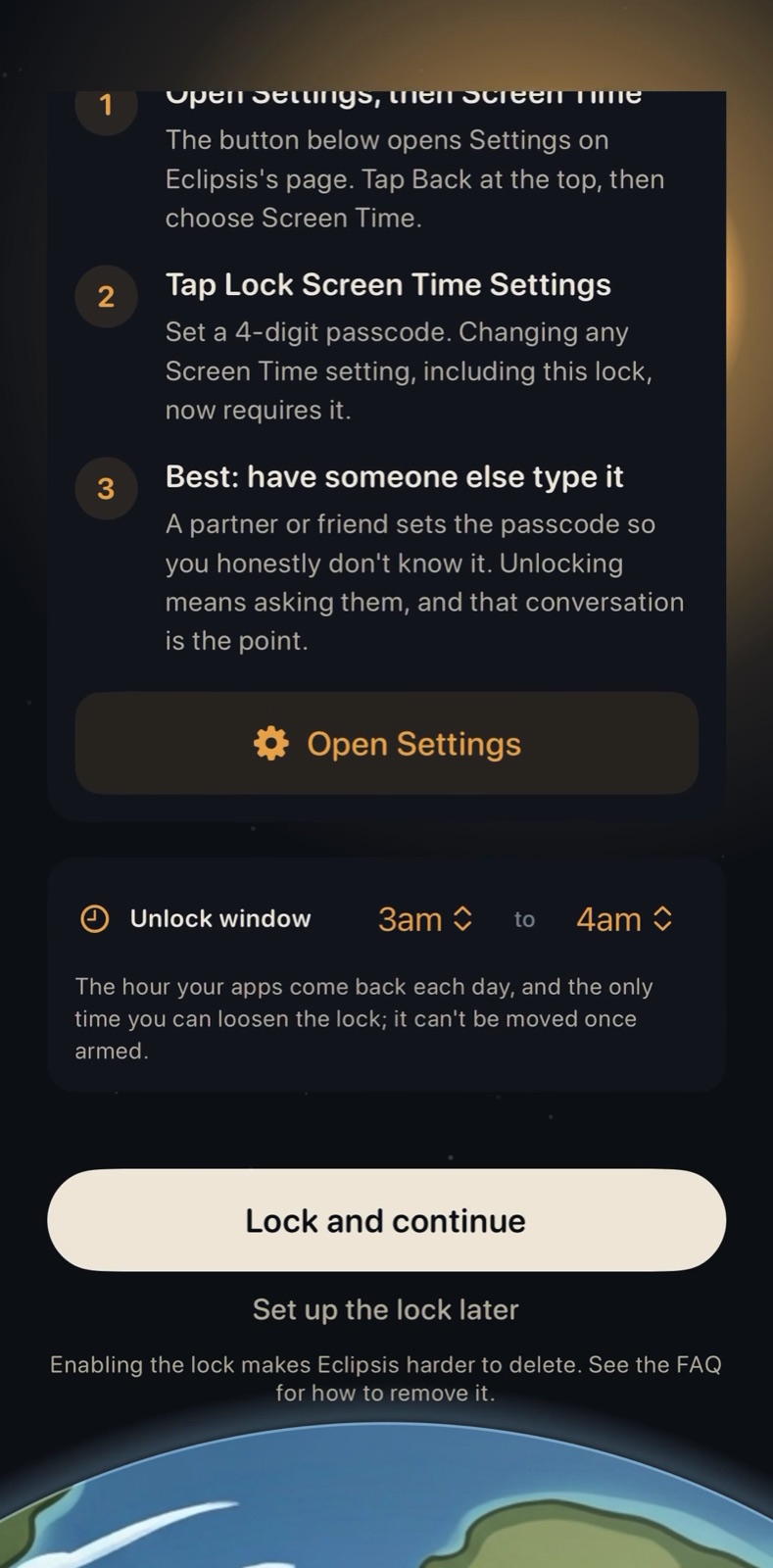
05
Set the daily unlock window. Have a friend set the Screen Time passcode.
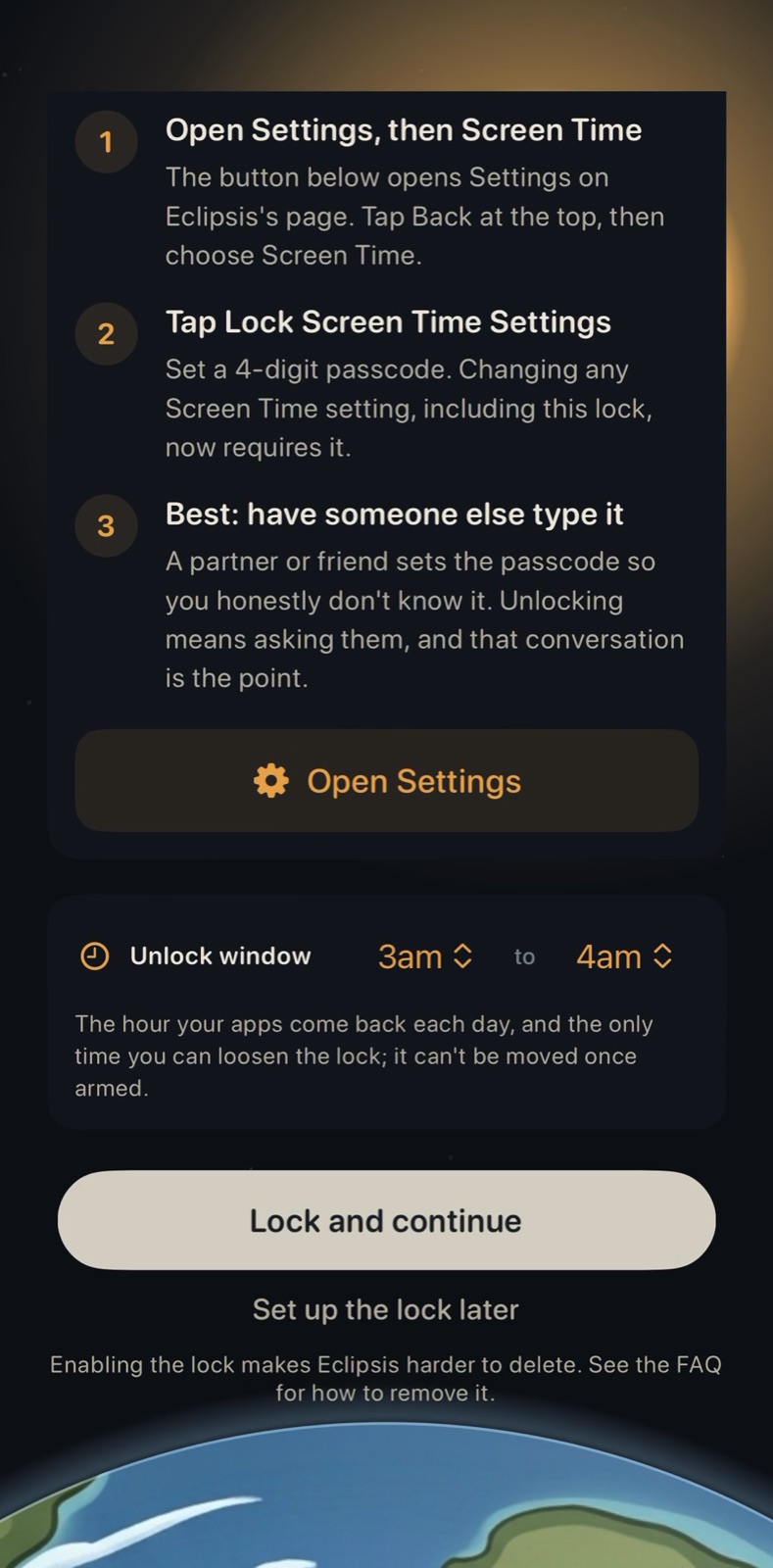
06
Lock and continue. The apps disappear from the Home Screen.
Get Eclipsis. Free on the App Store. The slowdown and Parent Mode are Eclipsis Pro.
Get the iPhone appQuestions
- Why a friend?
- A Screen Time passcode you know is a speed bump. One you do not know is a wall. Eclipsis never sees it; it is Apple's own passcode.
- Where do the apps go?
- Off the Home Screen, out of the App Library and out of search until the window you chose. Not a block screen: gone.
- Can I undo it?
- During the daily window, yes. Outside it, loosening needs the passcode. Phone and Settings are never affected; Apple's picker leaves them out.