Troubleshooting · iPhone · updated 2026-10-02
The Safari switch
is greyed out.
Screen Time's web filter freezes every Safari extension switch. It only blocks changing them, so the fix is a minute long.
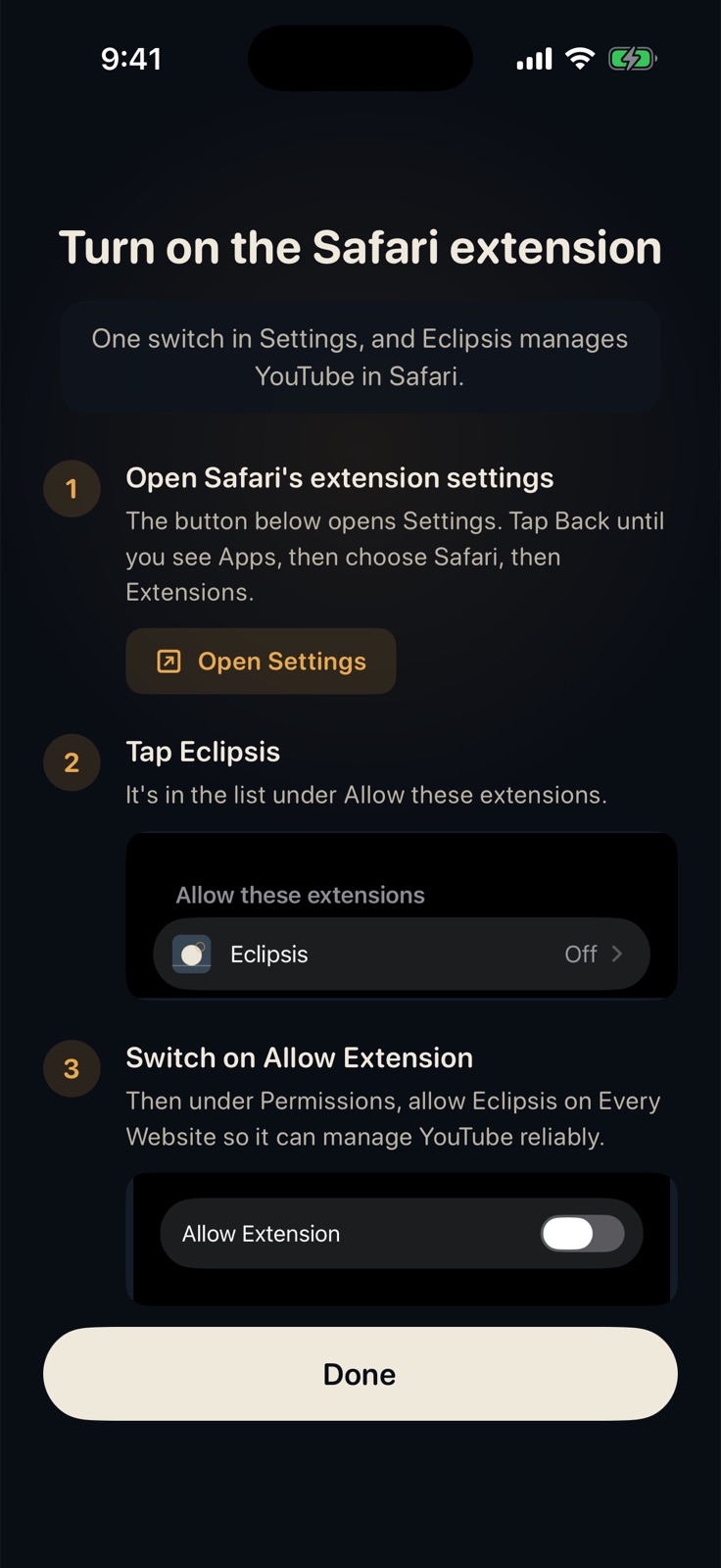
01
The normal route: Settings, Apps, Safari, Extensions, Eclipsis, Allow.
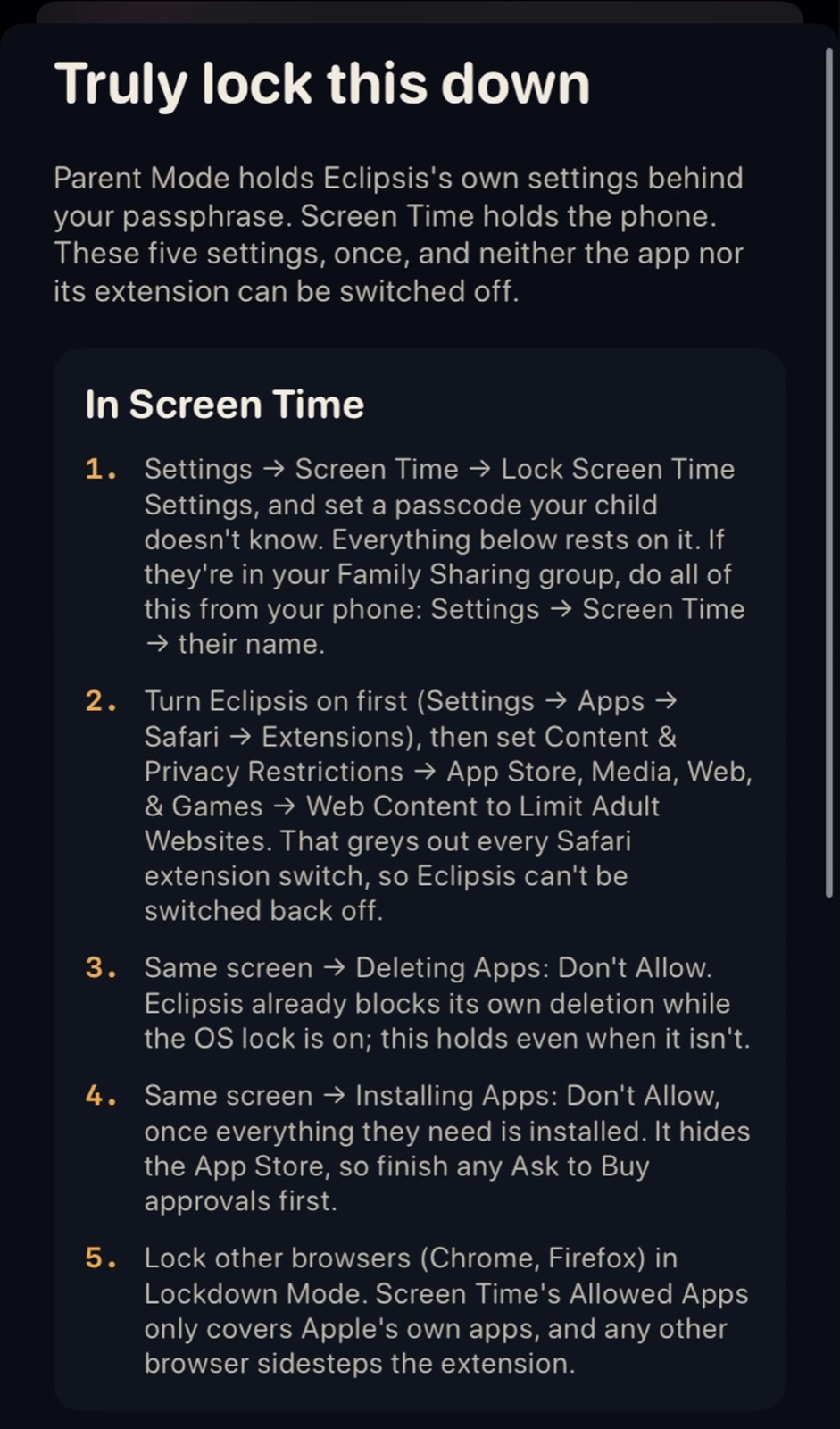
02
On a kid's phone the switch is frozen by Screen Time's web filter.
Get Eclipsis. Free on the App Store. The slowdown and Parent Mode are Eclipsis Pro.
Get the iPhone appQuestions
- So how do I switch it on?
- On the parent's phone: Settings, Screen Time, the child's name, Content & Privacy Restrictions, App Store, Media, Web, & Games, Web Content, choose Unrestricted Access. Switch Eclipsis on in the child's Safari settings. Then set Web Content back to Limit Adult Websites.
- Does it stay on?
- Yes. The filter only stops changes. With it back on, the child cannot switch Eclipsis off either, which is the point.
- It is my own phone and still greyed out.
- Check Settings, Screen Time, Content & Privacy Restrictions, Web Content on your own phone. Any setting other than Unrestricted Access freezes the switches.